
Every Sunday night, my wife and I settle in on the couch to watch YouTube videos together and it's become our little ritual. For months, I've been managing this with a Google Sheet and AppScript that builds a playlist from our favorite channels, which works but still needs babysitting (hello, mid-roll ads). So naturally, I did what any homelab enthusiast would do: I built another mousetrap to manage by setting up Youtarr to automate the whole video collection process.
I've been scratching this itch for a while now
Back in 2024 I posted about this solution I came up with using Python and wrote about it (as I do) on this blog. It was titled Automating YouTube Playlists generation with YouTube API. I recently posted about how do to this sort of thing in Plex using a Docker Container. Today I wrote about Automating My YouTube Watch Queue with Google Apps Script. Lets see if I can over-engineer this project as well but with a Plex twist.
My current config - Google Sheet setup with AppScript
My Google Sheet setup has actually been pretty solid. It pulls the latest videos from our subscribed channels and compiles them into a YouTube playlist. The real magic happens at 6pm every Sunday when the AppScript automatically cleans out already-watched videos, leaving just the fresh content from the week. It's functional, but it still lives in YouTube's ecosystem with all the ads and occasional buffering issues that come with it. I'm a paid premium subscriber and there is a feature to skip detected ads that are in the middle of the video, it's not perfect but it's a step in the right direction.
Am I over-engineering our Sunday night YouTube routine? Probably. Is it working well for the video collection part? Absolutely. The truth is, I'm not entirely sure this will replace my AppScript workflow—that automatic cleanup feature is really valuable, and I might end up with a hybrid solution. But that's the fun of homelab projects, right? You build something, learn from it, iterate, and sometimes end up with a Frankenstein's monster of automation that somehow works perfectly for your specific needs.
Automated YouTube Channel Content Downloading
Youtarr works like the other *arr apps you're probably already running. You add YouTube channels you want to follow. It checks for new videos automatically. When it finds something new, it downloads it.
The scheduling piece is pretty straightforward. You set up your intervals. Tell it which channels matter most. It handles the rest in the background while you're doing literally anything else.
No more manually checking if your favorite creators posted something. No more hunting through subscription feeds. It just grabs everything and organizes it for you.
Integration with Plex Media Server
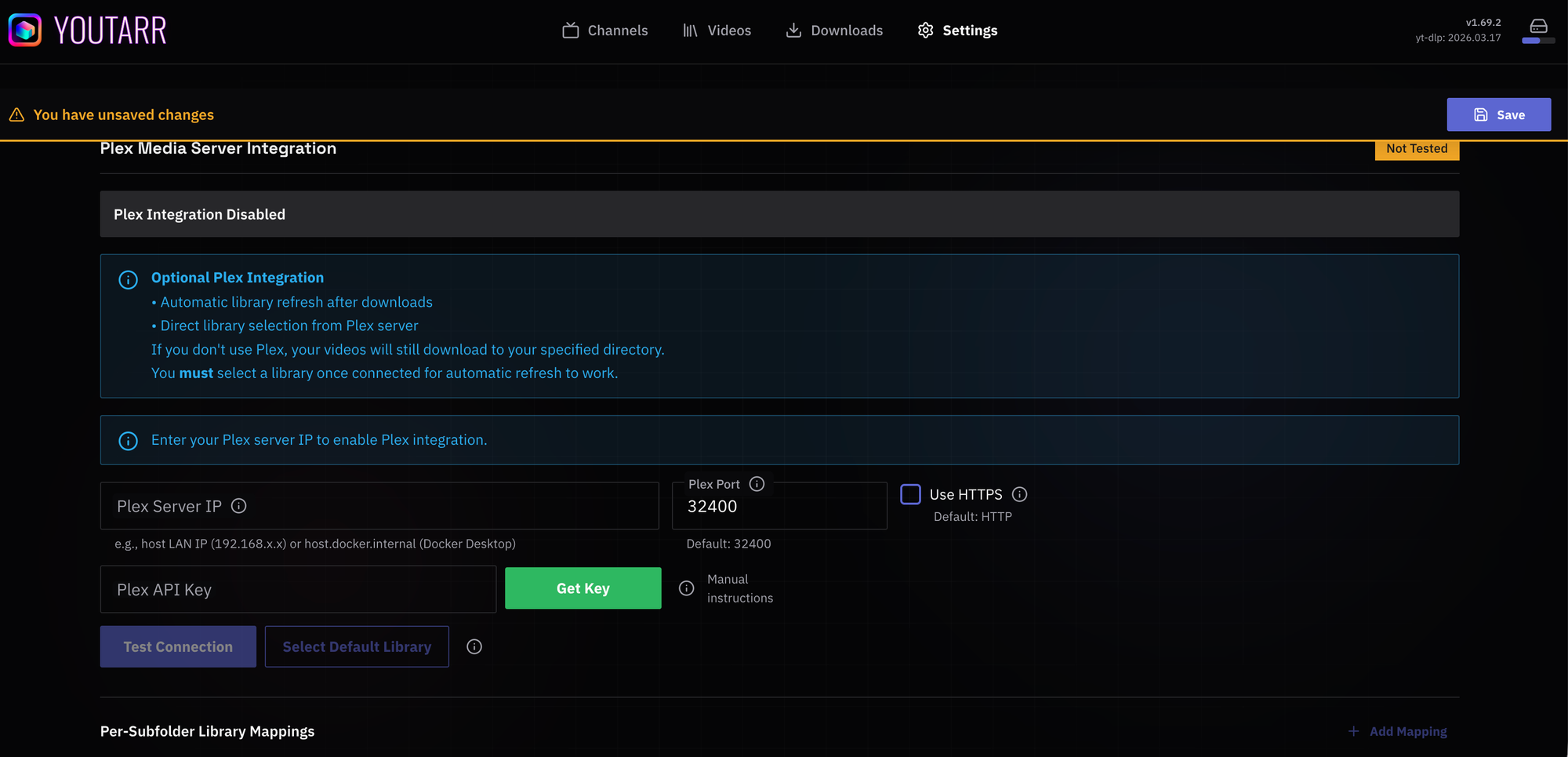
Here's where things get interesting for my setup. Youtarr dumps videos directly into a format Plex can read. Organize them into libraries. Add metadata. The whole nine yards.
This means I can browse YouTube content the same way I browse my TV shows and movies. Same interface. Same remote control. Same couch.
The container also works with Kodi, Emby, and Jellyfin if that's your flavor. I'm running Plex (with PlexPass), so that's where I'm focused. But options are nice.
yt-dlp Powered Video Extraction
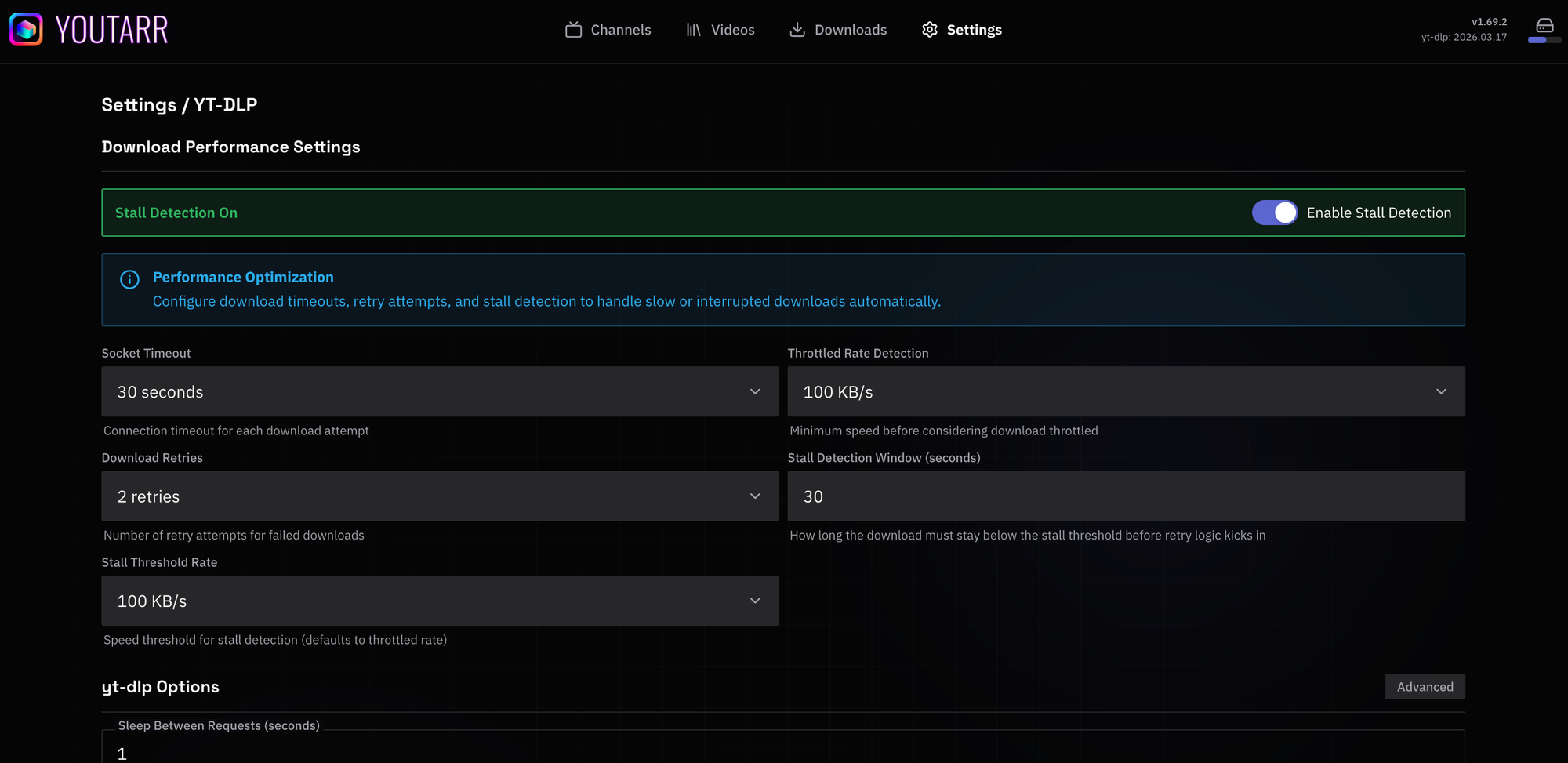
Under the hood, Youtarr uses yt-dlp to actually grab the videos. If you've been around the self-hosting scene, you know yt-dlp is basically the gold standard for downloading YouTube content.
It's actively maintained. Handles YouTube's constant changes. Supports quality settings so you're not filling up your drives with 4K videos you'll watch on a phone.
The nice thing about Youtarr is you don't need to mess with yt-dlp commands yourself. The container wraps it all in a web interface. Point, click, done.
Final Thoughts
Look, I'll be honest. I'm still testing whether this actually improves our Sunday night routine or just shifts the complexity around. The AppScript cleanup feature is genuinely useful, and I might keep both systems running for a while. I have one other solution to check out called Tube Archivist that has a few other different features.
But having our videos downloaded locally means no additional creater read ads. No buffering. No wondering if YouTube's algorithm decided to stop showing us stuff we actually subscribed to see.
I'll report back once we've actually used this for a few Sunday nights. Maybe it becomes the main system. Maybe it's a backup. Maybe I end up with some weird hybrid that makes perfect sense to me and absolutely nobody else.
That's homelab life.
I'm curious what you are using for your YouTube watching setup. Leave a comment below.
 DialmasterOrg


Comments