
I saw a post from Casey Liss about Callsheet a couple days ago and asked him a simple question on Mastodon. Does it support Jellyfin yet? I already knew it worked with Plex and have been using it since it came out many years back.
Casey wrote back almost immediately. It's already there.
What I didn't know is that Jellyfin support had shipped back in May. It looks like Casey is also moving way from Plex, that benefits us all as it relates to this app. I was already using the Plex feature in it and didn't realize that Jellyfin was added. If you haven't run into Callsheet before, it's a cast and crew lookup app for iOS, iPadOS, macOS, and visionOS, built by Casey. You probably know him from the Accidental Tech Podcast or his other show, Analog(ue), with Mike Hurley.
He built Callsheet as his own answer to a question a lot of us have had while watching something. Who is that actor, and what else have they been in? IMDb technically answers that question. It also makes you fight through ads and clutter to get there. Callsheet skips all of that and pulls its data from TMDB instead.
That alone would make it a nice utility app. The part I care about is what Callsheet does once you're actually watching something, and which server it's watching along with you.


Now Playing, and why it matters
None of that is new on its own. Trakt has done some version of "what am I currently watching" for years, mostly built around scrobbling from various clients. What's different here is that Callsheet ties that playback position directly to its cast and crew database. You're not just seeing a progress bar. You can jump straight from "I'm 20 minutes into this episode" to "who plays that character" without leaving the app.
The per-title progress meter is newer than I realized. Casey added it in version 2026.5, released June 20, 2026, along with the "Ends At" popover that breaks down runtime versus what you've already watched. Before that, Now Playing showed what you were watching, just not how far into it you were.
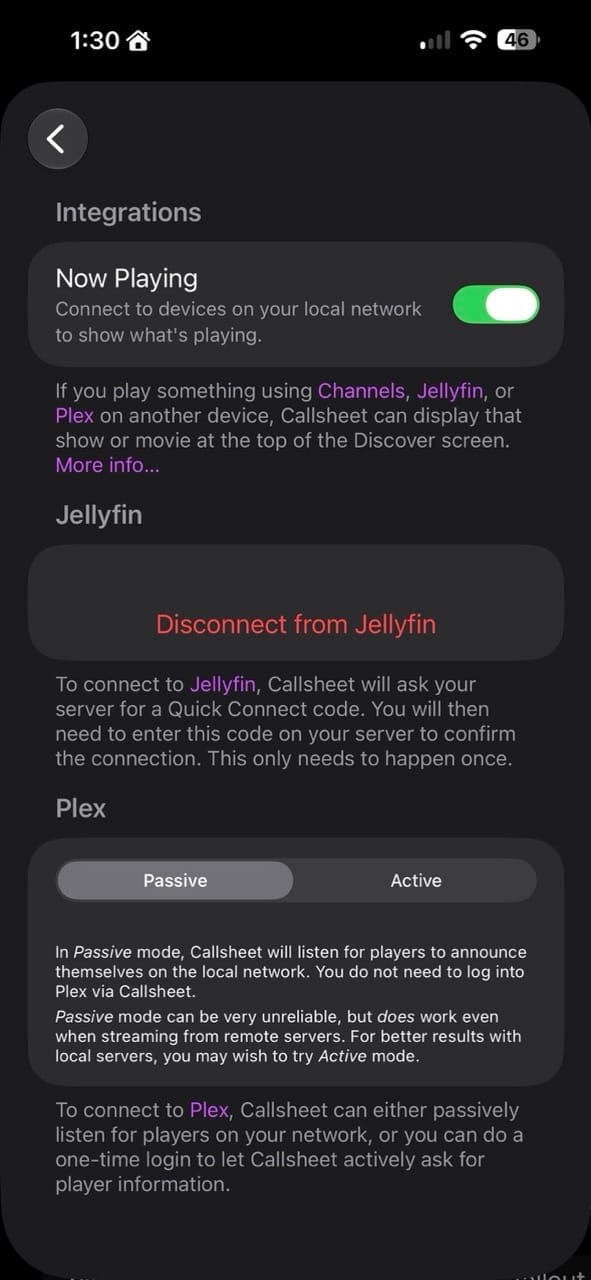
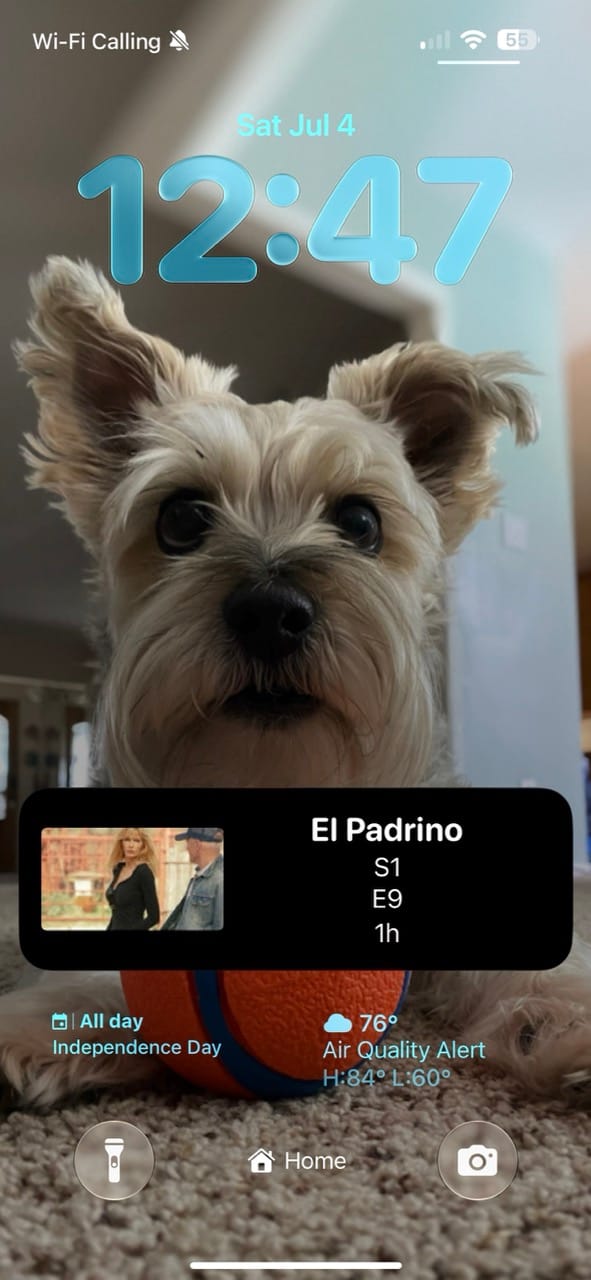
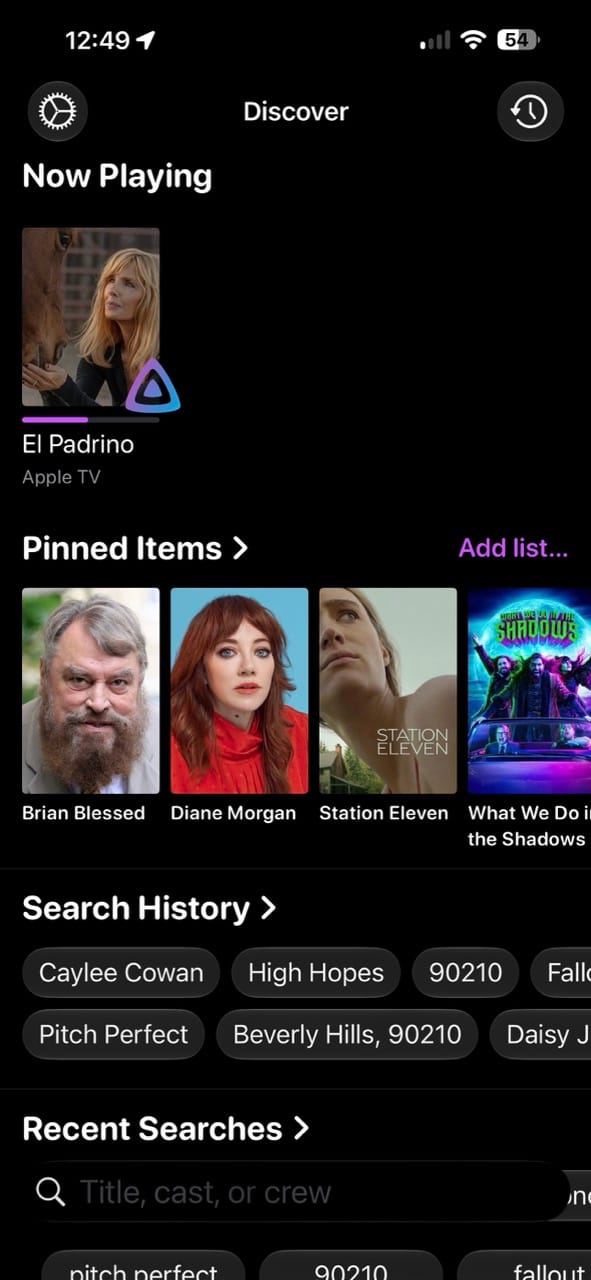
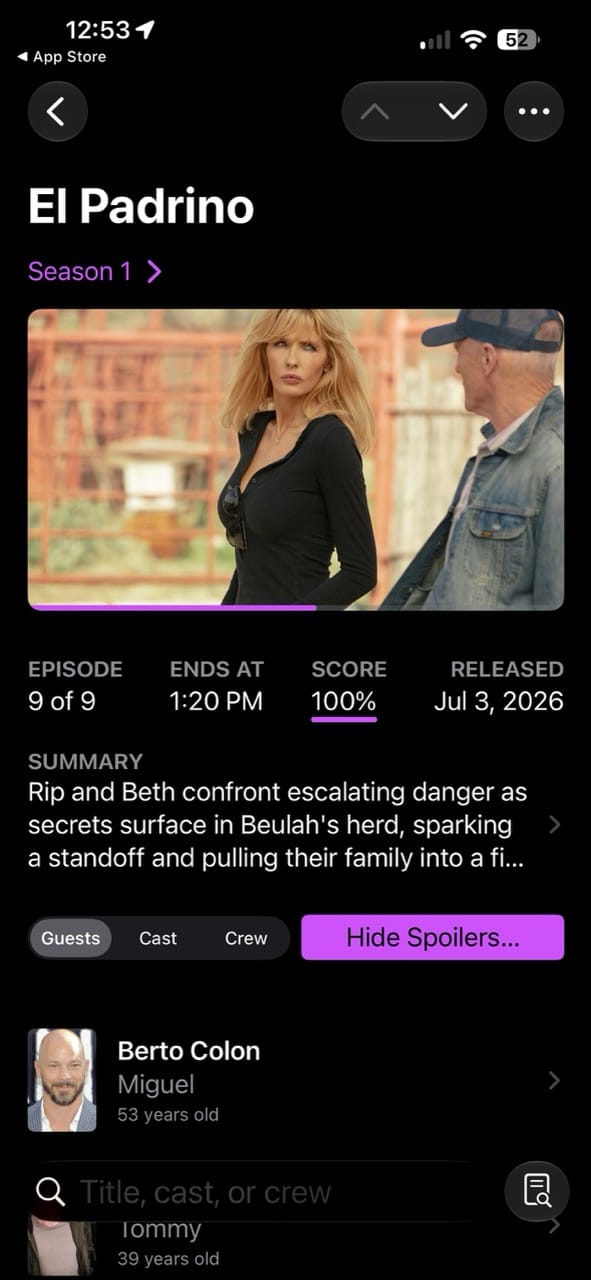
How the Jellyfin integration with Now Playing in Callsheet.
Plex, if you must
Callsheet has supported Plex since version 2023.4, back in September 2023, alongside a similar integration for the Channels app. For years there was only one way to connect, and Casey has been pretty open that it was never great. He's described that original mechanism as unreliable to the point that he regretted including it at all.
That original approach is now called Passive mode. It talks directly to Plex clients over the local network, no login required, and it can even show what's playing on someone else's Plex server if you're on the same network as their client. The tradeoff is that it barely works with iOS and iPadOS clients, and it only works at all if you're on the same network as the playback.
In 2026.5, Casey added a second option called Active mode. It requires logging into Plex, similar to Jellyfin's Quick Connect, but in exchange it works reliably, works with iOS and iPadOS clients, and works even when you're away from home. The catch is it only shows media from your own server, not anyone else's.
Casey was candid about why he built this. He's been migrating his own media setup toward Jellyfin because Plex keeps getting worse, and once he'd already broken his own no-login rule to support Jellyfin in 2026.4, adding a login option for Plex was the obvious next step.
Two months with Jellyfin support, whether I knew it or not
Version 2026.4, released in May 2026, added proper Jellyfin support to the Now Playing view. Setting it up takes a few steps:
- In Callsheet, go to Settings, then Persnickety Preferences, then Integrations.
- Find the Jellyfin section and enter your server URL.
- Callsheet generates a Quick Connect code.
- Open your Jellyfin server's admin dashboard and approve that code.
Once that's done, the connection sticks around. You don't have to repeat the dance every time you open the app.
It's a little embarrassing that I went two months without noticing this had shipped. But now that I've had it running for even a few days, it's held up without a single hiccup. No missed progress updates, no stale sessions, nothing to troubleshoot.
There's a detail buried in the release notes that's worth calling out on its own. If you point Callsheet at a Tailscale address for your Jellyfin server, whether that's your 100.x address or a home-domain.ts.net hostname, the Jellyfin integration is the only one of the three (Plex, Channels, and Jellyfin) that actually works remotely. Plex and Channels both need Callsheet to be on the same network as whatever's doing the playback. Jellyfin doesn't have that restriction.
That matches how I use Tailscale everywhere else in my setup. If I'm out of the house watching something on my phone through my Jellyfin client, Callsheet can still show me progress and cast information without me being on my home network.
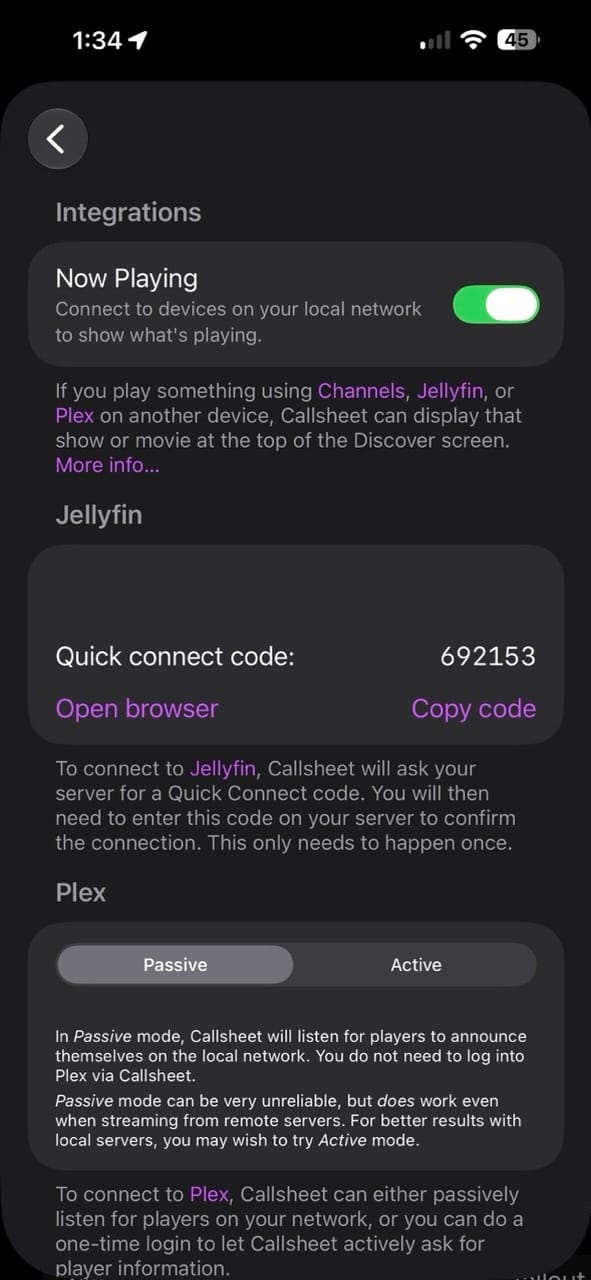
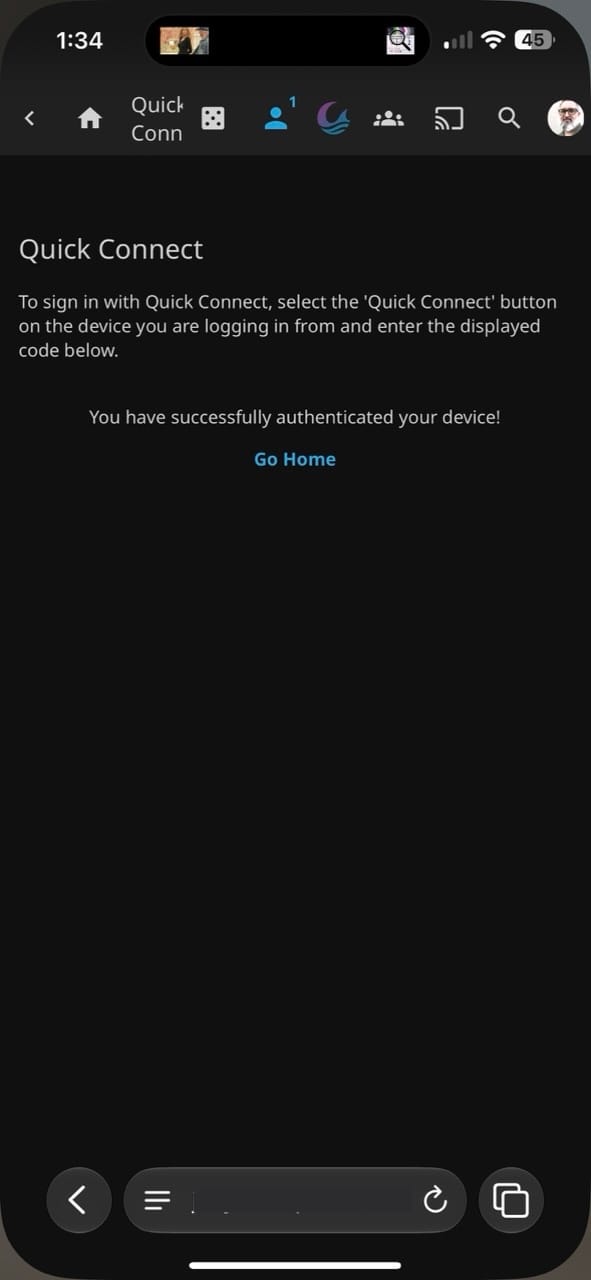
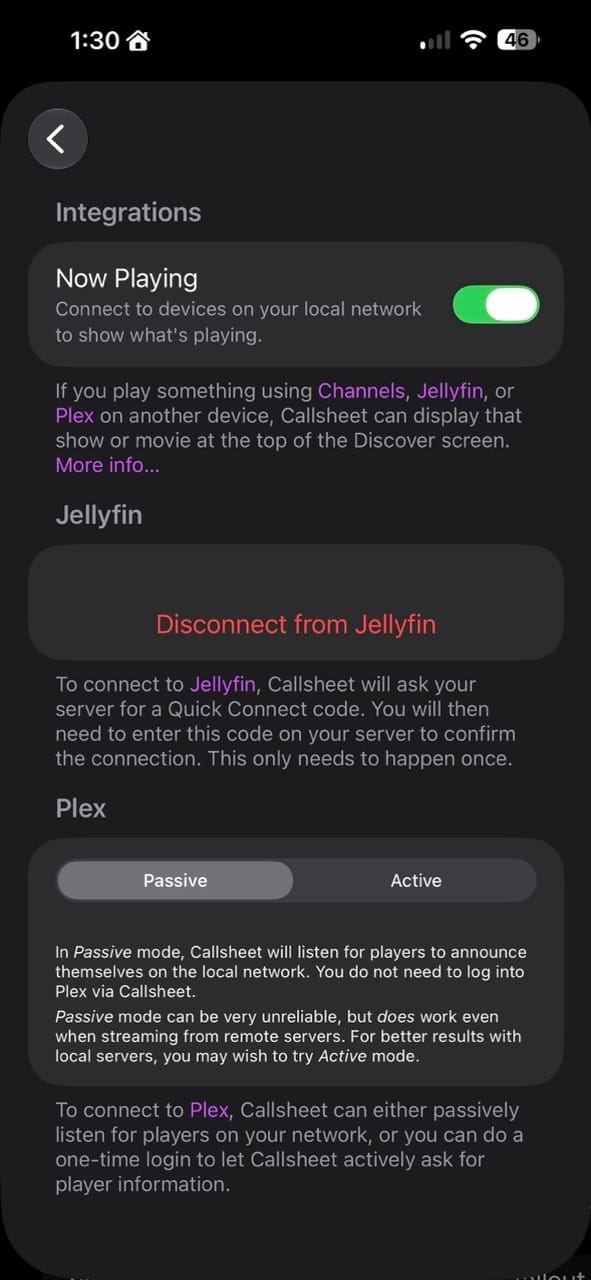
Authorizing the Jellyfin Integration
Is this a Trakt replacement?
Not entirely, and I don't think that's really the goal. Trakt tracks watch history over time, builds stats, and has a whole social layer around what you and your friends are watching. Callsheet doesn't do any of that. What it does is answer the question you have right now, mid-episode, about who's on screen and how much time is left before you need to decide whether to keep going.
For me, that's actually the more useful tool most of the time. I don't check Trakt while I'm watching something. I check it after, if at all. Callsheet is the app I reach for in the moment, and now that moment includes Jellyfin instead of just Plex.
I've been slowly replacing pieces of my Plex-dependent workflow for a while now, and this is one more piece that no longer needs Plex to function. Casey mentioned in that same release he's been running Jellyfin alongside Plex on his own Mac mini, I'm curious how many other developers in this space are quietly making the same switch behind the scenes and what new Jellyfin introductions are out there for apps I'm already using. Time to dig more into what I'm using already to see what I can find.
 Limitliss LLC


Comments