
Honestly, the one thing that has really stopped me from moving over to Jellyfin is amount of basic apps for Jellyfin and none of them provide any additional features that would make it easier for me to find content on the server. I’ve put a lot of effort into building out my Plex installation, using a whole bunch of different doctor containers and tools to customize the database provide additional meta-data for the content in the way that it’s organized and coming up with collections and other rule based ways of displaying Rose and the interface making it fun and easy to find content on the server.
The one thing that I’ve noticed with the clients is that they all lack this customization, but I’m finding that during my process of looking at different clients for the that it looks like Moonfin hits all of the major criteria that I’m looking for.
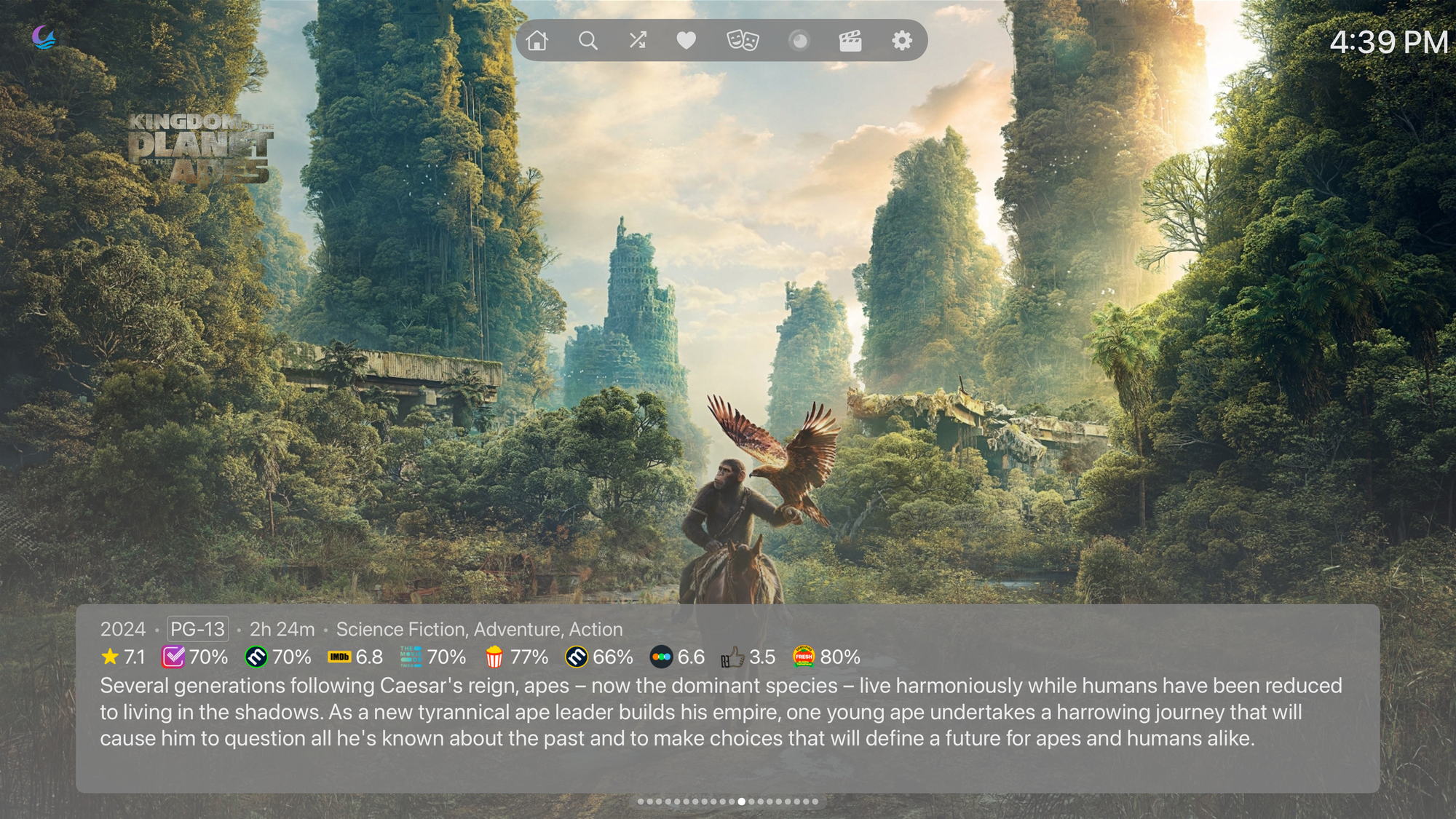
Why I Gave Moonfin a Real Shot on Apple TV
I've cycled through a handful of Jellyfin clients on the Apple TV over the past year. The official app works, Infuse is the gold standard for 4K HDR playback, and Swiftfin covers the basics in a clean native shell. Moonfin is the newest name in that lineup, and it's the first one that made me rethink how much a TV client should be doing on its own.
Moonfin started as a separate Apple TV app and has since folded into the larger Moonfin Core codebase, the same shared engine that powers its Android TV, mobile, and desktop clients. On tvOS specifically, it's built natively in SwiftUI with an MPVKit playback core under the hood, which is what lets it decode HEVC, AV1, DTS, and TrueHD without leaning on Jellyfin's server to transcode everything down to something safer.
What the Apple TV App Actually Does Well
The playback overlay is where Moonfin earns its keep. Trickplay scrubbing, track and quality pickers, cast and crew info, a next-up card, and a pause overlay with speed and zoom controls are all built into the native player. Subtitle styling goes deeper than most clients bother with on a TV screen.
Native MPVKit Playback - Hardware-accelerated playback with Dolby Vision Profile 7 decode and Atmos passthrough, advertised only when the connected display actually supports it. Direct play only show up as available when your actual display reports support for them. That sounds like a small detail, but it matters. A lot of clients will offer a quality toggle that looks correct on paper and then quietly falls back to a worse output, and you only find out by squinting at your TV's input info screen.
Round that out with SyncPlay for watching together across devices, Live TV with DVR support, and skip intro and skip credits buttons that actually show up reliably, and you have a player that covers most of what Infuse does for free. tvOS 16 or later is the only real requirement.
The Rough Edges Worth Knowing About
None of this is a finished product yet. Some Apple TV HD units see playback stuttering that's tracked as an open issue on GitHub. The Siri Remote's back button closes the app outright instead of stepping back a menu, which catches people off guard the first few times. If your library leans heavily on 4K remux files with Dolby Vision, Infuse is still more dependable for now.
Why Moonbase Changes the Equation
The Apple TV app on its own is a solid client. Install the companion server plugin, Moonbase, and it becomes part of something bigger. Moonbase is the backbone of the whole Moonfin ecosystem: it runs on your Jellyfin server and handles settings sync, runtime configuration, Seerr proxying, custom themes, and a hosted web version of Moonfin you can reach right from your Jellyfin instance.
The settings model is the part that sold me. Preferences live in a profiled structure: one global baseline plus optional overrides for desktop, mobile, and TV. Set your media bar, navbar, and ratings preferences once at the global level, and every device inherits them automatically. Only flip a setting at the device level if the Apple TV genuinely needs something different from your phone.
Seerr integration runs through the plugin as a proxy rather than a direct connection from the TV. The Apple TV app talks to Jellyfin, and Jellyfin forwards the request to Seerr with the session already authenticated. That means Seerr never has to be reachable from the TV itself, which is convenient if you're routing things through a Cloudflare tunnel and don't want to expose another hostname just so the living room can request a show.
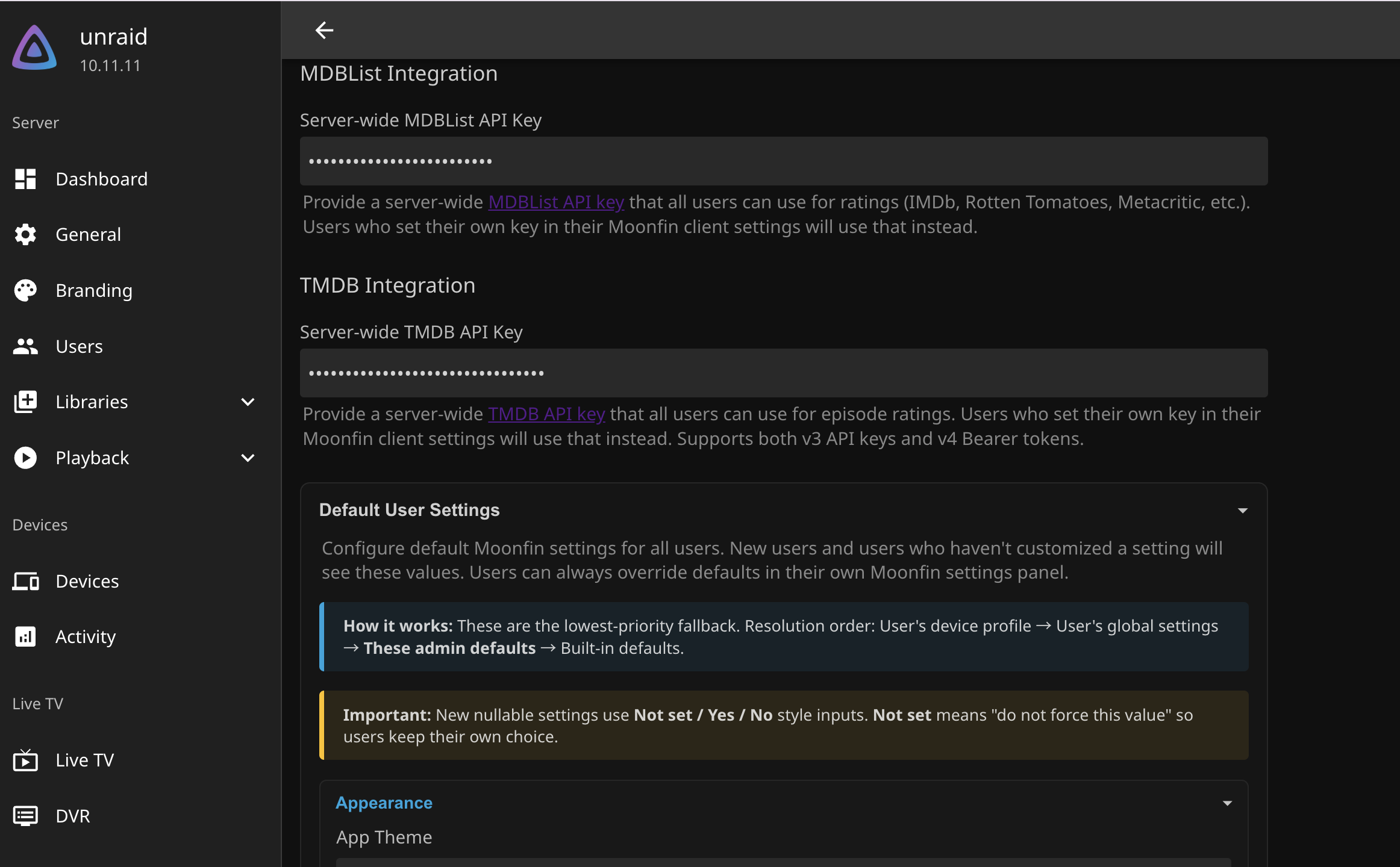
Admins can also set server-wide defaults for nearly every user-facing setting. New profiles inherit those defaults instead of starting blank, which is the kind of thing that actually matters once you have more than one person watching off the same server.
Getting Moonbase Running
Moonbase installs like any other Jellyfin plugin, through the repository system rather than a manual drop-in.
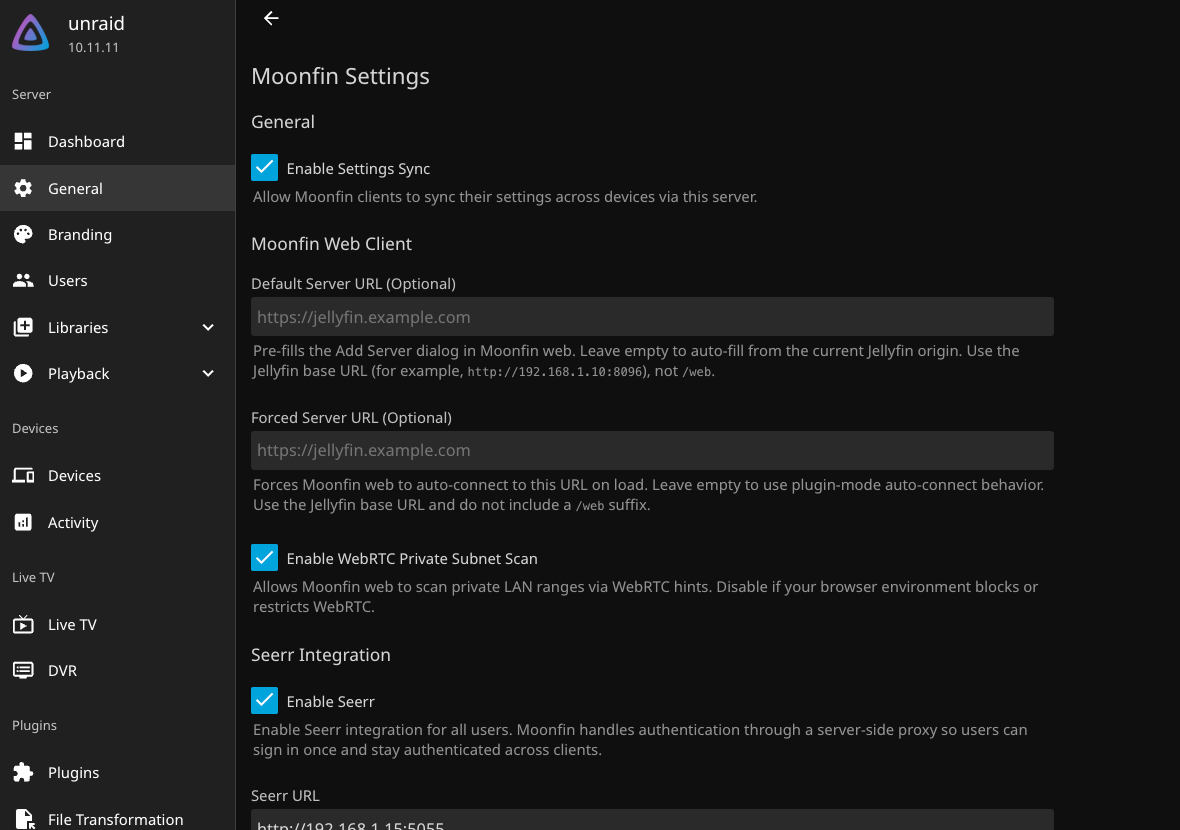
Jellyfin Dashboard -> Administration -> Plugins -> Repositories -> Add Repository
Name: Moonfin
URL: https://raw.githubusercontent.com/Moonfin-Client/Plugin/refs/heads/master/manifest.json
Jellyfin Dashboard -> Administration -> Plugins -> Catalog -> Moonfin -> Install
Restart Jellyfin
The web UI layer depends on the File Transformation plugin to inject itself into Jellyfin Web, so add that repository too if you want the Moonfin icon next to the SyncPlay button.
Repository URL: https://www.iamparadox.dev/jellyfin/plugins/manifest.json
Install: File Transformation
Restart Jellyfin
Force refresh your browser (Ctrl+Shift+R)
If you're running Jellyfin in Docker on Unraid, the plugin lands under whatever path you've mapped to the container's plugin directory, typically something like /mnt/user/appdata/jellyfin/plugins/Moonfin/. If you sit Jellyfin behind a reverse proxy or a Cloudflare tunnel, double check that every /Moonfin/ path gets forwarded, or the Seerr panel and settings sync will fail silently.
Moonfin's Apple TV client is still young compared to clients that have had years to sand down their rough edges. The development pace has been fast enough that the stuttering and navigation quirks feel more like a punch list than a dead end. I'm leaving it installed on the living room Apple TV for now and keeping an eye on how it holds up over the next few updates.
Seerr Support
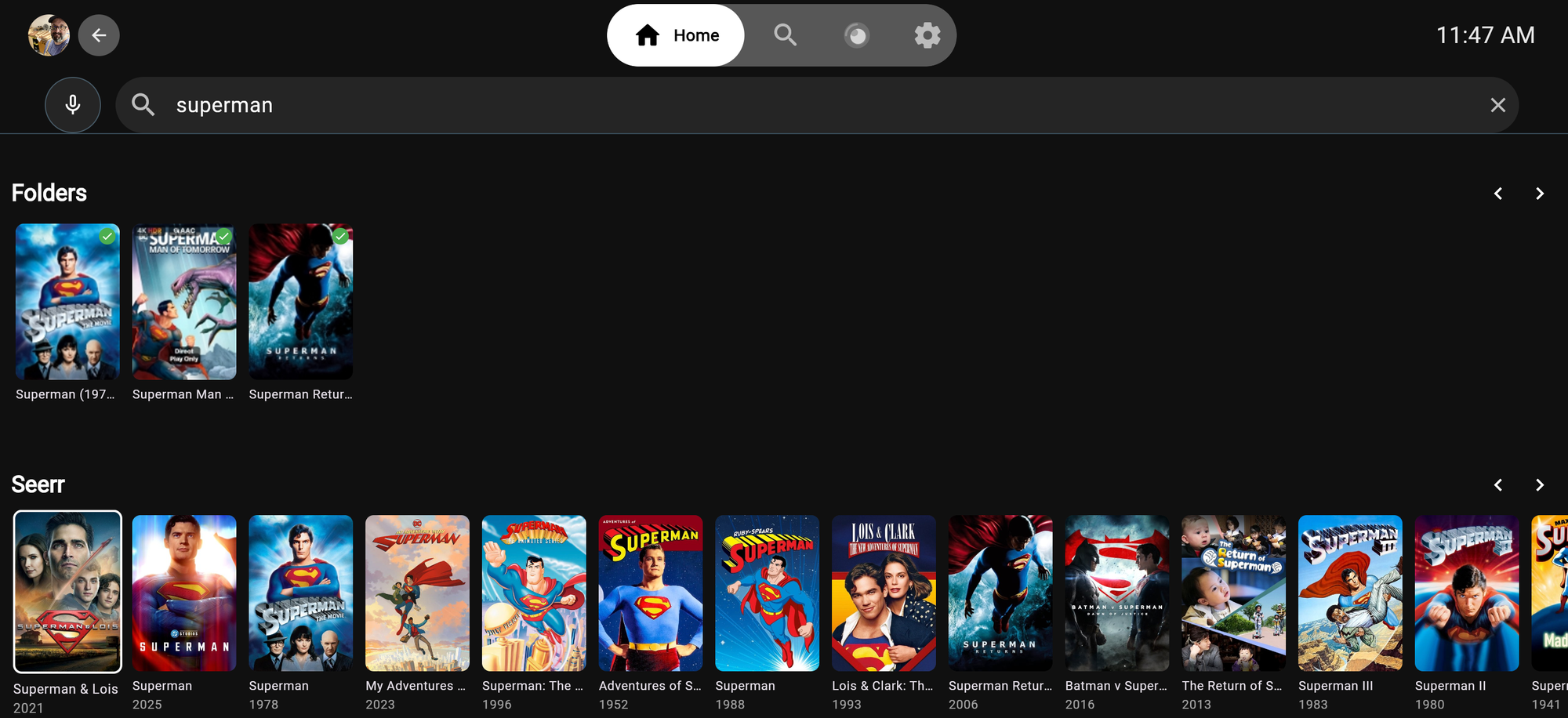
Interesting thing about this is how you can look at the Seerr requests you have made and see what one have completed.
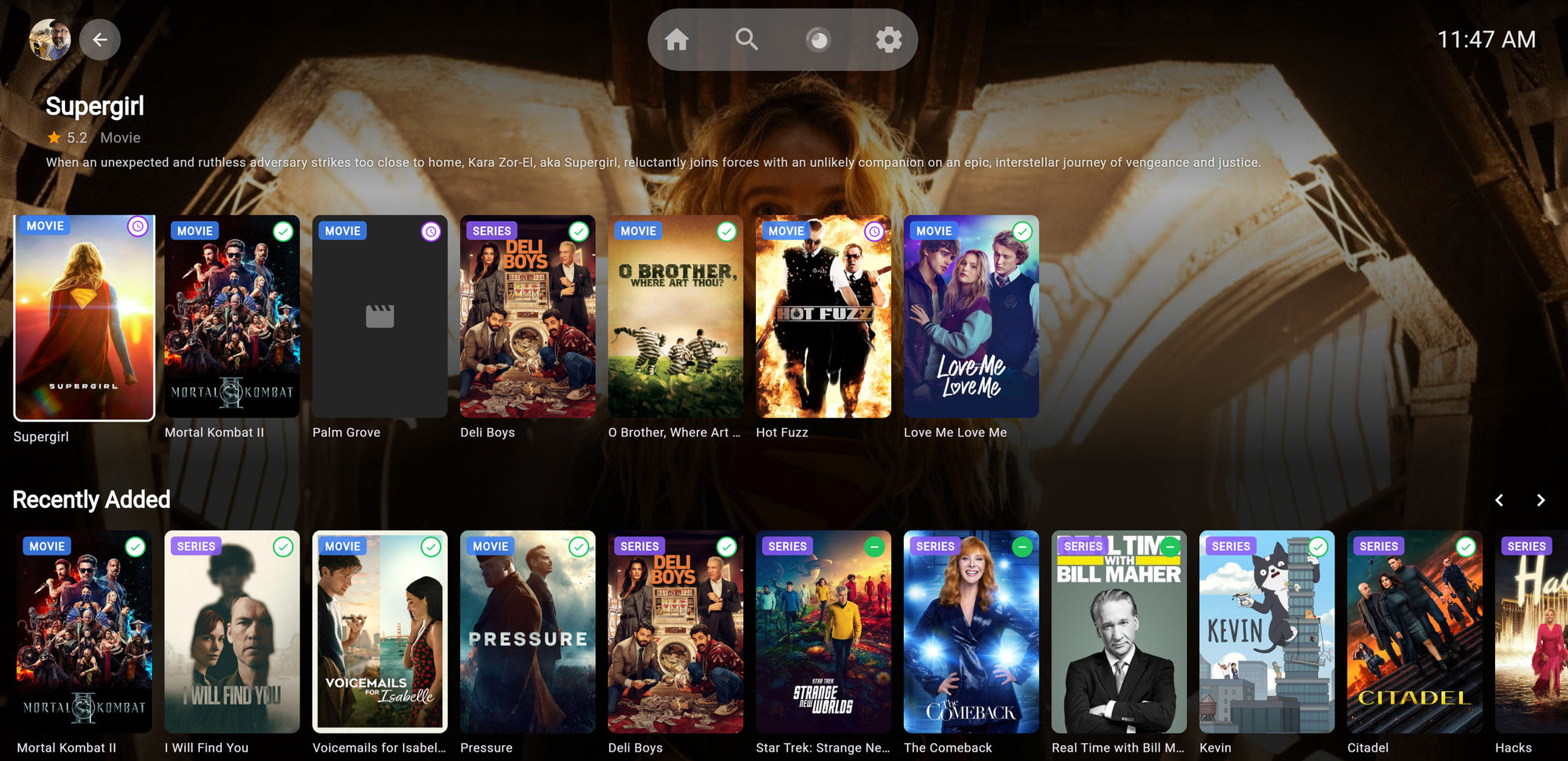
You can then go to Search and a new row a the bottom appears if you don't have the content you can request it.
One bug I noticed
One weird issue that my wife and I had last night when we were watching a movie is that if you don’t have the built in screensaver enabled in the app then the system screensaver will kick in after X number of minutes right in the middle of the show. I need to submit that as a bug, but it’s really weird that something like that is in there. Do not have screensaver enabled just for in the middle of the movie Snoopy popped up and when I tried to exit out all the colors on the screen went wonky so I had to quit the app and start over again. Luckily, it did save my place.
There is a lot more to explore and I'll update this post as I learn more.
What are you using as a client on your Apple TV?


Comments