
WatchState is a self-hosted tool that keeps watch history and play state synced across media servers. If you run more than one backend at once, say Plex and Jellyfin side by side during a migration, it's the piece that makes sure marking something watched in one place actually means something everywhere else.
I run it on Unraid in Docker, syncing between Plex and Jellyfin while I work through my own move away from Plex. Here's how it actually works, what it can do, and a few things I got wrong setting it up that are worth knowing before you start.
 arabcoders
What it actually syncs
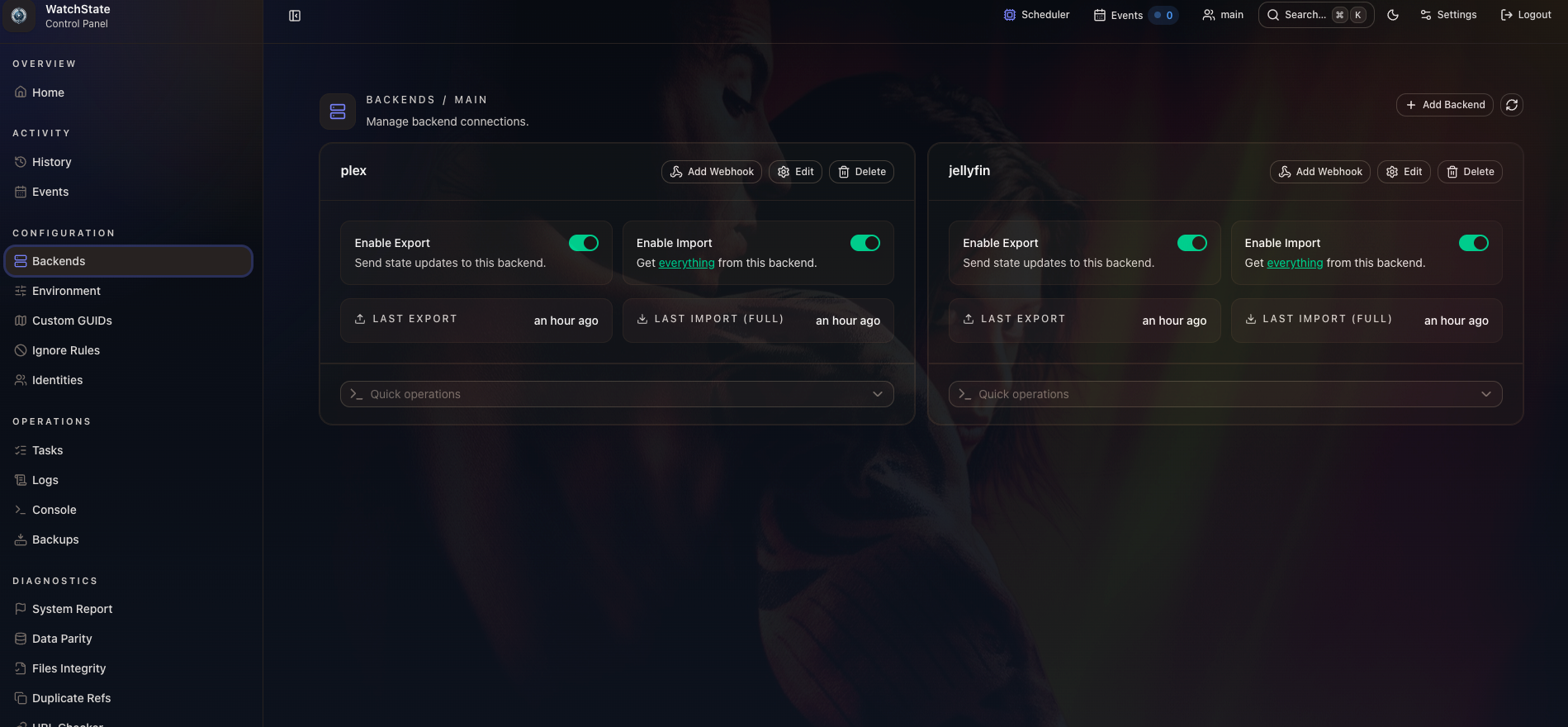
WatchState connects to each backend you give it: Plex, Jellyfin, Emby, and a handful of others. For each one, it can import existing play state into its own local database, and export play state back out to any backend you choose. Import and export are separate, deliberate operations, not one automatic two-way mirror.
That distinction matters more than it sounds like it should. WatchState doesn't guess which backend is correct when two disagree. You decide that by choosing which backend to import from first and which ones to export to afterward.
How it matches the same item across two libraries
Matching the same episode or movie across two different servers is the actual hard problem here, not the syncing itself. WatchState does it primarily through external GUIDs, IMDB, TMDB, and TVDB IDs that both Plex and Jellyfin typically expose for properly matched content.
When those IDs are missing or inconsistent, there's a fallback called path matching. It hashes the trailing two or three segments of a file's path, the season and episode folder structure, and uses that as a secondary identifier. If Plex and Jellyfin are pointed at the same files on disk, even with different mount roots, the file paths still line up underneath.
Webhooks, and what they don't do by themselves
Both Plex and Jellyfin can push webhook events to WatchState the moment something gets played, paused, or finished. That's what makes the sync feel close to real time instead of waiting on a scheduled job.
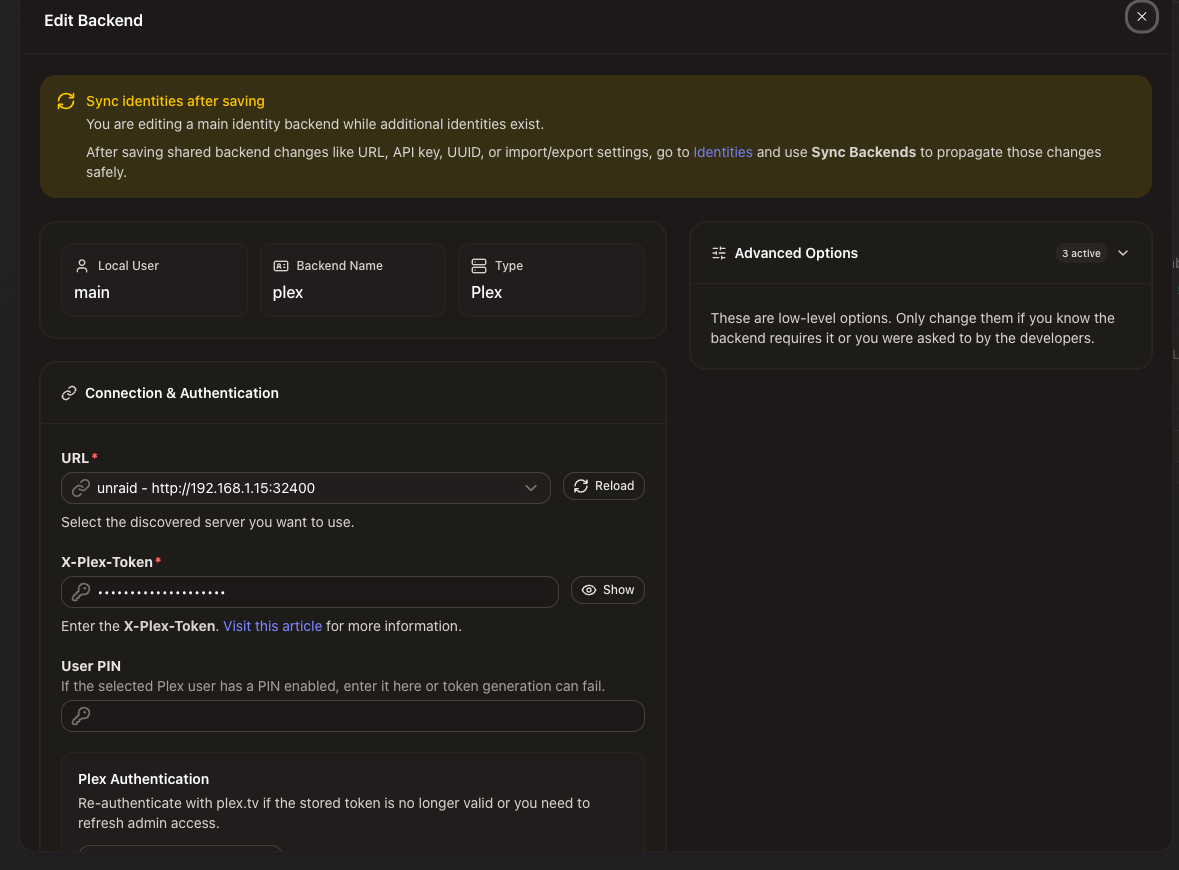
A webhook event only updates WatchState's own local database, though. Getting that change pushed out to another backend is a separate step, handled by a scheduled Export task, plus a faster relay mode for small changesets called Push. Both need to actually be enabled, and both need each backend's Export setting turned on, or the webhook arrives, updates locally, and goes nowhere else.
state:import -v -u main -s plex --force-full
state:export -v -u main -s jellyfin -i
Multiple people, one setup
If more than one person uses your media server, WatchState handles that through what it calls identities. Point it at two backends and it tries to match each person's account by username automatically. Mismatched usernames, or managed and protected accounts on Plex, need a little manual attention, but the matching itself works cleanly once everyone's accounts line up.
Each identity rides on the same webhook setup. There's no need for a separate webhook URL per person, which used to be a requirement in older versions and is one of the more useful quiet improvements in this project.
Where I actually got stuck
I installed WatchState, pointed it at both backends, set up webhooks, and assumed I was done. I wasn't. Playing something in Plex never showed up as watched in Jellyfin, and my first instinct was to assume the tool itself was broken.
It wasn't. The actual order of operations matters a lot here, and I'd skipped past it. You're supposed to pick one backend as your source of truth, import from it first, and only then bring in a second backend and push that history outward. I'd added both backends at once without thinking about which direction the data should flow.
So I wiped the container, deleted its config folder, and started over reading the setup guide properly this time instead of clicking through it. That single change, doing the import and export in the right order, fixed most of what I thought was broken.
One real bug was still hiding underneath, and it had nothing to do with WatchState. A specific episode kept failing to sync with a clear error: no metadata found for that item on the Jellyfin side. Jellyfin genuinely didn't know the file existed yet, because Sonarr and Radarr were only configured to notify Plex when new episodes finished importing, not Jellyfin.
WatchState was reporting the problem correctly the entire time. I just hadn't pointed the blame at the right service.
Adding a Jellyfin connection in Sonarr and Radarr's Connect settings, alongside the Plex one that already existed, closed that gap for good. New episodes now hit Jellyfin the moment they're imported instead of waiting on a library scan.
A nice surprise for stats nerds
If you run Streamystats alongside Jellyfin, the watch history WatchState backfills isn't wasted on it. Streamystats can infer playback sessions directly from the same watched-status field WatchState writes to, turning synced history into real entries in your stats dashboard. You lose device and client details for anything that originated on a different server, but the watch counts and dates carry over.
The whole exercise was a good reminder that starting clean beats patching around a half-understood setup. Reading the actual order of operations before touching a second backend would have saved me an afternoon, but tearing it down and rebuilding it properly is what actually taught me how the tool wants to be used.
Did you take the plunge moving away from Plex to something else like Jellyfin or Emby? Have you tried this or something similar to it? Let me know in the comments.


Comments