
I told you in Part 3 that Moonfin and its companion server plugin Moonbase hit all the major criteria I was looking for in a client. What I didn't get into yet is the bigger reason any of this mattered to me in the first place: replicating what my Plex home screen actually did, not just what it looked like.
For a long time, that home screen looked the way it did because of one tool: Aggregarr. It built collections from curated lists, generated custom artwork for those collections, and arranged the results into rows on my home screen. One tool, three jobs, done.
Jellyfin doesn't have an Aggregarr. It has roughly six tools that each do a third of the job, and which six you actually need depends on which app your household watches through. If you're on stock Jellyfin Web instead of Moonfin, some of this still applies, some of it doesn't, and I'll call out which is which as we go.
Why "it depends on your client" is the whole story here
Most Jellyfin plugin roundups quietly assume you're using jellyfin-web in a browser. That's a reasonable assumption most of the time, except it means half the advice out there doesn't transfer if you're watching through a native client like Moonfin, Swiftfin, or the official Android TV app.
Here's the architecture split that actually matters, and it took me longer to untangle than I expected:
Plugins that inject into jellyfin-web. Home Screen Sections (HSS) and its companion plugins, Editor's Choice and Media Bar, fall into this bucket. I went and found the developer's own introduction post for HSS, and he says it plainly in the preamble: it only works on web-based clients, meaning a browser, the official iOS app, and the official Android app, since those three are built as wrappers around the web client. Native apps are explicitly excluded, and he names Swiftfin specifically as an example of what doesn't work. Moonfin, being a separate native Flutter build rather than a web wrapper, falls into that same excluded category.
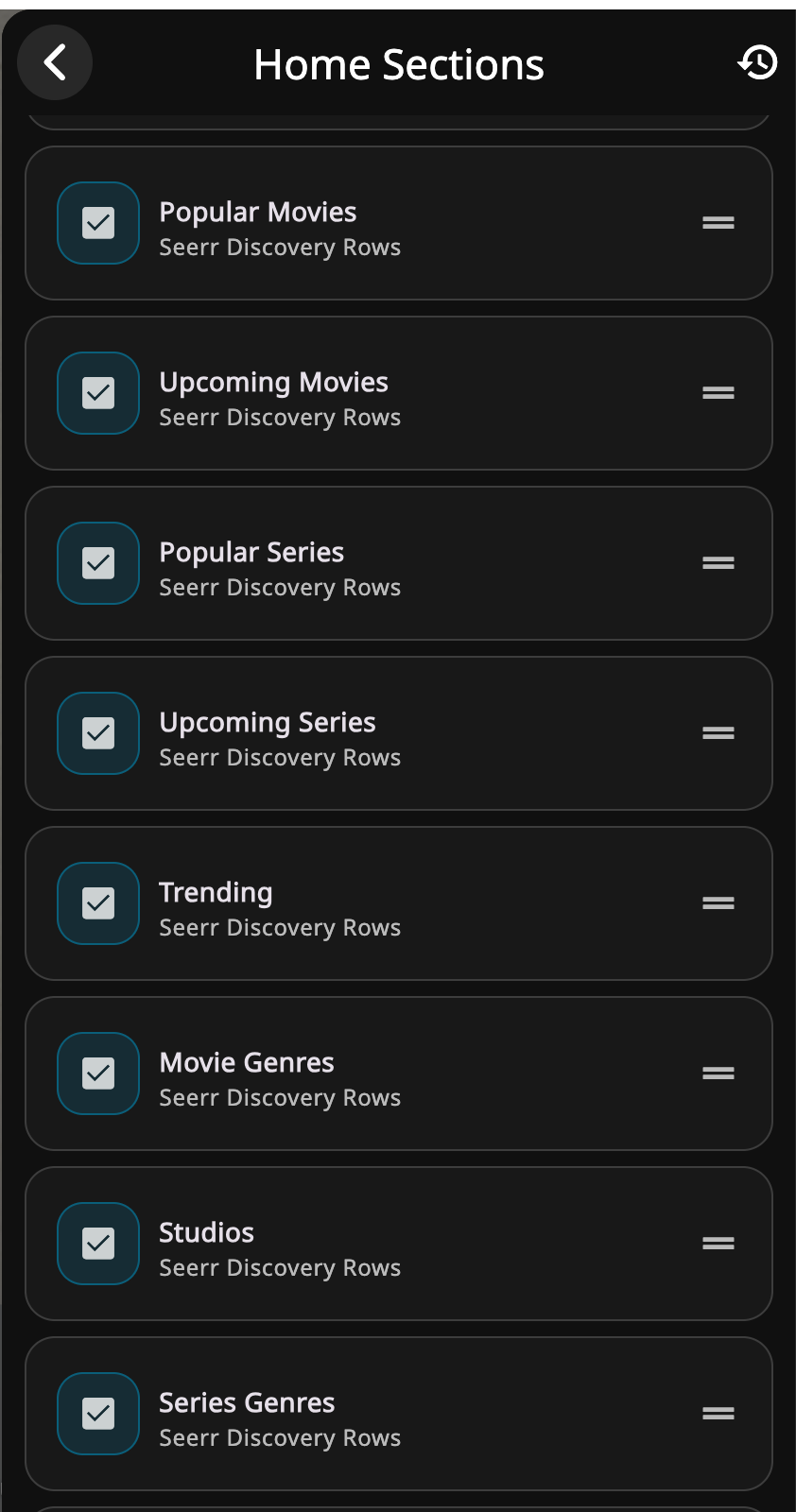
Features built natively into a client. Moonfin has its own collections support baked directly into the app now, reading straight from Jellyfin's API rather than depending on any plugin. It goes further than that: Moonfin markets itself as one of the first native Jellyfin clients with built-in Seerr support, which means Trending, Popular, Upcoming, and genre/studio/network rows can come straight from your Seerr instance with zero plugins involved. The Moonbase server plugin proxies that traffic directly, so Seerr doesn't even need to be reachable from the client itself. This is a recent addition, and it changes the calculus on a few things I'll get to below.
Collections: start with what's already free
Aggregarr's first job was building collections automatically from curated sources rather than making you do it by hand. Jellyfin has two real tools here, and they solve slightly different problems, but check what you already have before installing either one.
If you're running Seerr alongside Moonbase, Moonfin's native Discovery Rows already pull Trending, Popular, Upcoming, and genre/studio/network groupings straight from Seerr, no plugin, no extra container, nothing to configure beyond having Seerr itself set up. That covers a real chunk of what Aggregarr's curated lists were doing on Plex. What it doesn't cover is anything from sources Seerr doesn't surface, Letterboxd, MDBList, AniList, and anything built from rules against your own existing library rather than discovery data. That's where the two tools below actually earn their place.
jellyfin-plugin-auto-collections groups content you already own using rules: genre, decade, studio, that kind of thing. It's a native Jellyfin plugin, no separate container to run, and it has real maturity behind it: 226+ stars, steady releases going back to at least May 2025, with version bumps tracking each new Jellyfin server release. There's even a community repo of shared configuration templates if you don't want to write rules from scratch.
JFC (jellyfin-collection) picks up where native Seerr discovery rows leave off: pulling curated lists from sources like Letterboxd, MDBList, and AniList, and optionally requesting whatever's missing through Sonarr or Radarr automatically. It reads Kometa-style YAML configuration, so if you happen to have old Plex Meta Manager files lying around, it'll reuse them. The catch is that it's a much younger project with no comparable track record yet.
Back before I use Aggregarr I was using but Kometa itself does not support Jellyfin. The official Kometa-Team GitHub repo still describes itself as working with Plex, and the Jellyfin/Emby feature request on their tracker was closed back in 2021 without being merged. They changed request trackers and it shows as "planned" with no real movement that I can see. JFC is a separate, newer tool that happens to read Kometa's YAML format. That's a meaningful difference if you're trying to figure out which project to actually go install.
My approach, and what I'd suggest if you're starting from scratch: confirm Discovery Rows are pulling real content first, since that's zero-install validation. Install auto-collections next, purely to confirm a plugin-built collection actually renders correctly as a Moonfin home row. Once that's confirmed, JFC is the one to reach for, but only for the specific curated-list and auto-request behavior nothing else in this stack already covers.
The one tool that didn't need replacing: Maintainerr
Not everything from the Plex side of my stack needed a Jellyfin equivalent. Maintainerr is the one tool I carried over wholesale, because it already supports Jellyfin natively, not as an afterthought bolted on later, but as a first-class target alongside Plex and Emby.
If you haven't run across it, Maintainerr is the inverse of a request tool like Seerr: instead of helping people add things to your library, it watches for content that's gone stale, unwatched for X days, never requested, whatever rule you define, and groups it into a collection before eventually deleting it, unmonitoring it in Radarr or Sonarr, and clearing the original request out of Seerr. It's the tool responsible for the "leaving soon" shelf a lot of self-hosted libraries have, and it's how I keep my library from quietly filling up with things nobody's touched since 2023.
It's worth a mention here specifically because of how it ties into everything above. Aggregarr's own changelog even references it directly, tagging items that fall out of an Aggregarr-managed collection with an "agregarr-stale" label specifically to play nicely with Maintainerr picking them up. The two tools were already working together on the Plex side of my setup, and that relationship carries over untouched now that the library they're both pointed at is Jellyfin instead. My migration brought over the bulk of my existing rules directly, with a small handful that depended on watchlist data needing a rebuild against Streamystats instead, since that's the Jellyfin-side equivalent Maintainerr expects for that kind of rule.
If anything, Maintainerr is the proof that not every part of this migration is a teardown and rebuild. Some of it is just pointing the same tool at a different server and moving on.
One trick I use Maintainerr for is when I forget to watch something that is on the chopping block is I make a rule that builds a collection called "🪵 🪓On the chopping block" and then include that collection on the home screen so I can remember to watch something before it gets auto deleted by maintainerr.
Artwork: Posterizarr
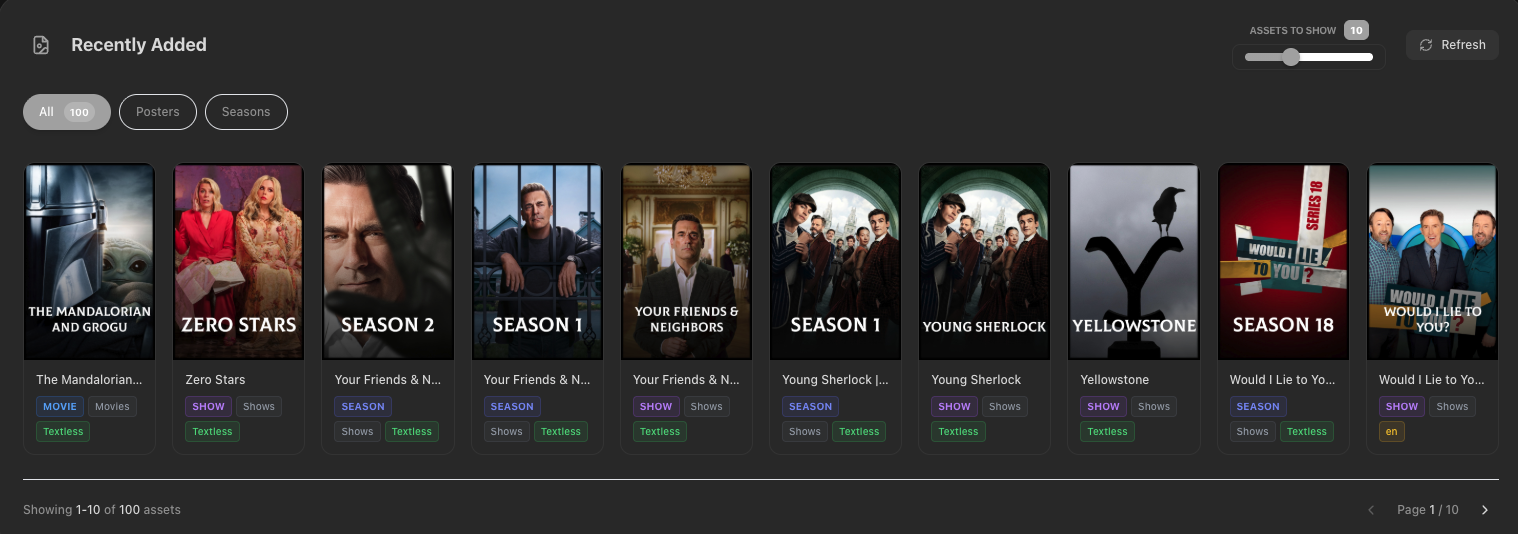
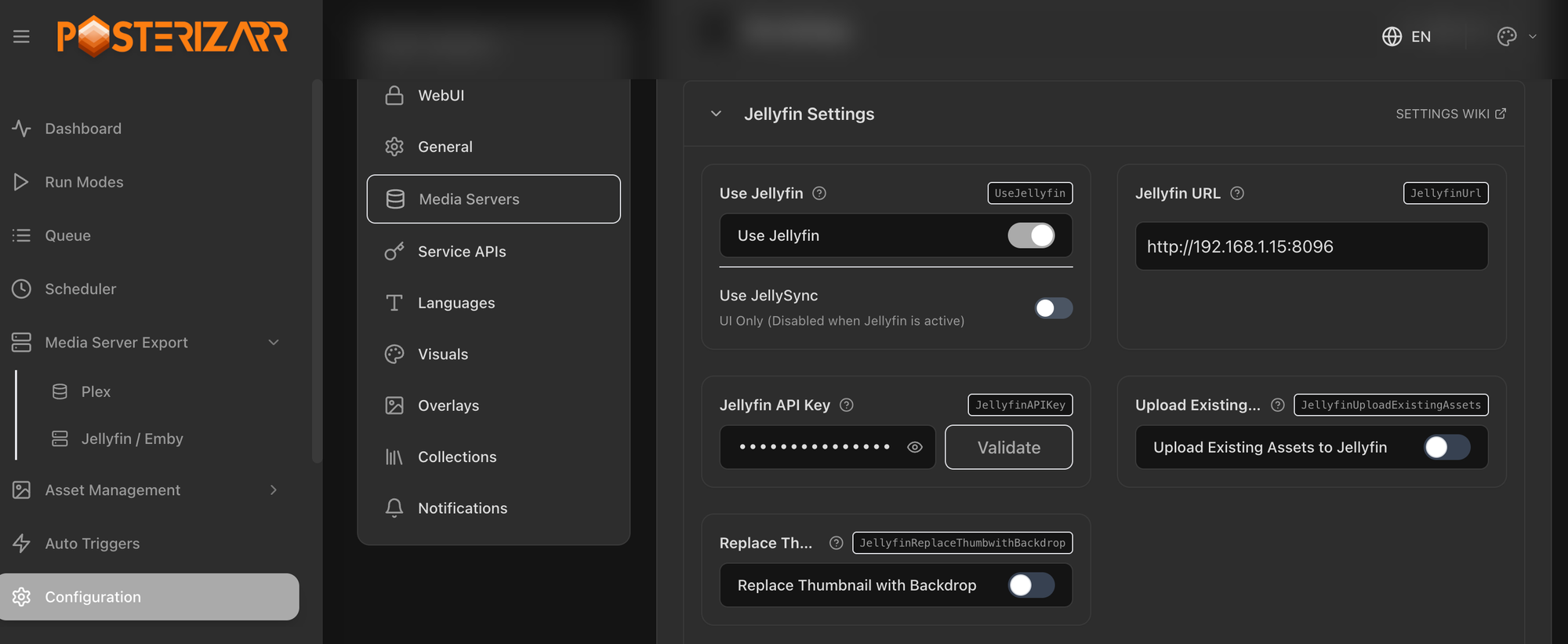
Aggregarr's second job was generating custom artwork for everything it built. The closest equivalent here is Posterizarr, and it's a genuinely capable tool: pulls textless artwork from Fanart.tv, TMDB, TVDB, and IMDb, applies your own overlay styles, and writes everything into a Kometa-compatible folder structure so it'll travel with you if you ever change tools again. It makes your library look fancy, take a minute and set it up and it will do some cool stuff for you.
Home screen rows: where Moonfin pulls ahead
This is the section that's actually specific to running Moonfin, and it's the most useful thing I found in this whole process.
Since HSS-family plugins are web-client-only by design, per the developer's own statement, a Moonfin household gets nothing from installing Editor's Choice, Media Bar, or the standalone Collection Sections plugin. None of them render outside jellyfin-web.
Here's where it gets interesting, and it came from two separate places, not one. I opened a GitHub issue asking specifically about Collection Sections support, and a contributor's answer was direct: "We already have Collection home row support. You need to turn on the Collections toggle." Not "we integrate with that plugin," but "we built our own version of what that plugin does." Separately, in Moonfin's Discord, another contributor confirmed the bigger picture: as more native implementations land inside Moonfin, HSS support is likely to get removed entirely, because supporting an external plugin's output long-term is hard to maintain. The goal, in their words, is to keep HSS support around until native versions exist for whatever features people are actually using, not to rip it out on a fixed deadline.
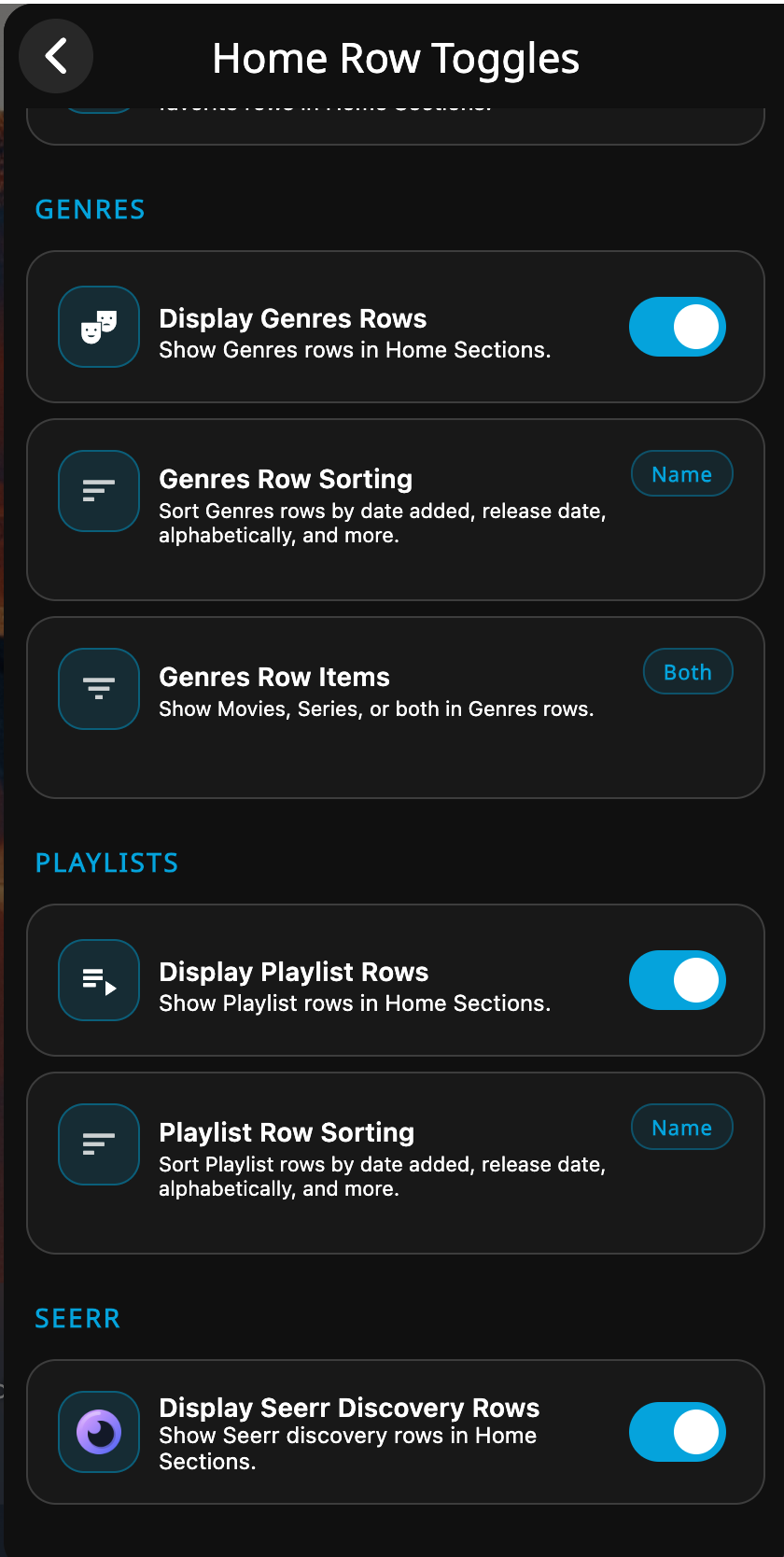
The practical upshot for anyone running Moonfin: skip Collection Sections. Go straight to Home Row Toggles in Moonfin's settings and enable Collections there instead. It already shows your collections as home rows natively, reading from the server directly, with a future the plugin doesn't have. I tested this on Apple TV specifically too, since the tvOS app only recently moved onto Moonfin's shared codebase, and it's working there as of this writing.
There's a second native row type worth setting up alongside Collections, and it has nothing to do with HSS at all: Discovery Rows, fed straight from Seerr through the Moonbase plugin. Moonfin's own marketing leans on this hard, calling itself one of the first native Jellyfin clients with built-in Seerr support, and the row list reads like an Aggregarr feature checklist: Trending, Popular, Upcoming, My Requests, with filtering by genre, studio, and network on top. This is Moonbase talking to your Seerr instance directly, no jellyfin-web involved anywhere in the chain. It's funny, I'll most likely never use the Jellyfin-web client other than doing config changes. I mainly watch content on my Apple TV or my iPhone. S0 it's worth making sure that everything works on the client side since I'll never really use the web client side.
One more thing worth correcting from a conversation I had a few weeks back about making home rows feel less static: a recent Moonbase release added genuine drag-and-drop reordering for home screen rows right in the admin settings, hide or reorder Continue Watching, Next Up, Latest Media, and everything else. I'd been assuming this needed scripting against an undocumented settings API to pull off. It doesn't. It's already sitting in the UI.
The seasonal wrinkle
One thing I went looking into separately: is there a way to make home rows more dynamic, a holiday section that shows up automatically and then disappears, without manually toggling things every year?
KefinTweaks already does this, today, with zero scripting required. Its feature list specifically includes seasonally-themed sections, Halloween, Christmas, and others, with a configurable date window set right in its own admin page inside the Jellyfin dashboard.
The catch, and it's the same shape of catch as Collection Sections: KefinTweaks builds this feature on top of the HSS plugin. It's riding the exact bridge that's on a path toward replacement once Moonfin builds native equivalents. It works right now. I wouldn't build a permanent workflow around it without expecting to revisit this once Moonfin's roadmap catches up. I did mention this in the Moonfin Discord and and few of the contributors said it was a good idea and I should submit a feature request.
Pair that with the native reordering feature above and you've got most of what I was originally trying to script my way into: a section that appears on schedule and can be manually bumped to the top when it does, with no Settings API reverse-engineering required.
What's left for part two
This post covers the proven, lower-risk half of replicating what Aggregarr used to do: validating native collections and discovery rows, pairing Maintainerr and Streamystats to keep the library itself feeling alive rather than static, getting artwork generation working, and figuring out which home-row approach actually has a future if you're running Moonfin.
Part two picks up with the harder, more custom half: JFC for the specific curated lists that Seerr's own discovery feeds don't reach, and a closer look at how far Moonfin's native row reordering can actually take a holiday-aware home screen before something genuinely custom is needed. Maybe I'll build something to do this or just submit that as a feature request so it can be baked into a Moonfin future release.
I do want to make a massive shout out to Axl the developer of Moonfin, they have made a great product that is feature rich and works really well. With so much customization under the hood it really allows for a great experience for the end user. If you like his work, buy him a coffee. or stop by their Discord and give them a shout.


Comments