
In Part 2 of this series I mentioned Nautiline as my iOS client for Navidrome and kept moving. That wasn't the whole story.
Since then I've been testing a bunch of mac, AppleTV and other apps to see whatelse is out there and a second notable app entered the picture: NaviBeat. It's newer, it covers more Apple hardware, and just like Nautiline it costs money up front. Both apps connect to Navidrome via the OpenSubsonic API. That's where the obvious overlap ends.
Here's how they actually compare.
Nautiline
Nautiline is an iOS-only OpenSubsonic client. It's $9.99 on the App Store and does exactly what it says: streams music from your Navidrome (or any OpenSubsonic-compatible server) with a clean, native-feeling interface.
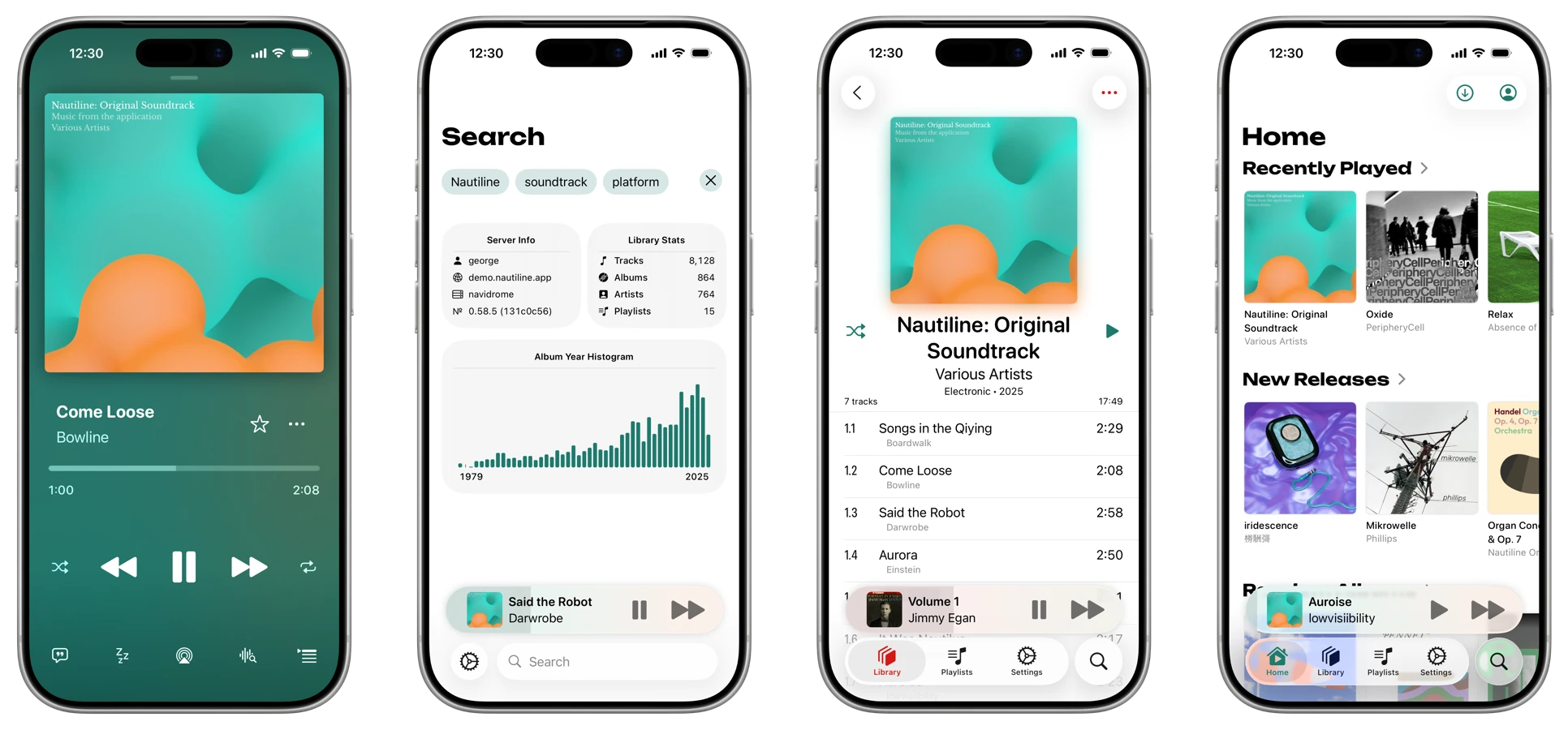
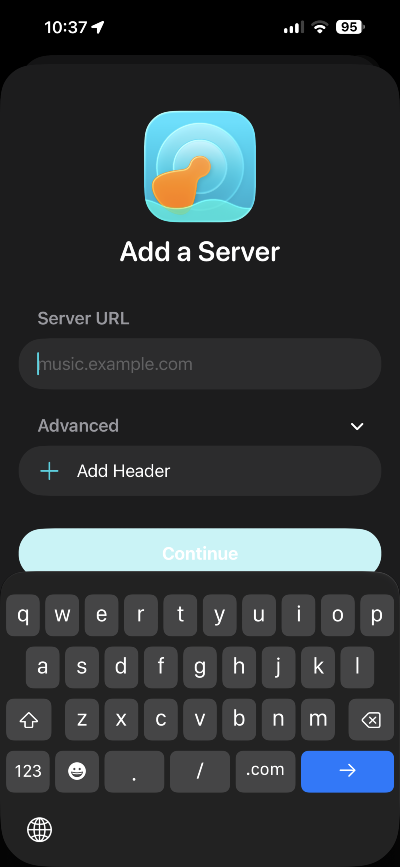
The feature list covers the things that matter day-to-day. Home and Away modes let you point the app at your local server address when you're on the same network and a public URL when you're not. Offline downloads work. Gapless playback works, even on transcoded streams, which is not something you can take for granted across clients. CarPlay and Siri are both supported. You can add custom headers, which is the feature that makes Cloudflare Access tunnels or Tailscale viable without jumping through authentication hoops every time.
Transcoding support deserves a specific mention. Nautiline handles seekable transcoded playback, meaning you can jump around in a transcoded file the same way you would a locally cached one. A lot of clients struggle with this and quietly degrade the experience on mobile connections. Nautiline doesn't.
It's iOS-only. No Mac app, no Apple TV, no iPad-native layout (it runs on iPad, but it's the phone layout scaled up). If your listening happens entirely on iPhone, that's fine. If you want something that spans devices, you're already at the edge of what Nautiline does.
 Gledtone
NaviBeat
NaviBeat is a $5.99 Universal Purchase that covers iPhone, iPad, Mac, Apple TV, and Apple Watch. One purchase, five platforms, no subscription. Built by one developer in Belgrade using native SwiftUI throughout.
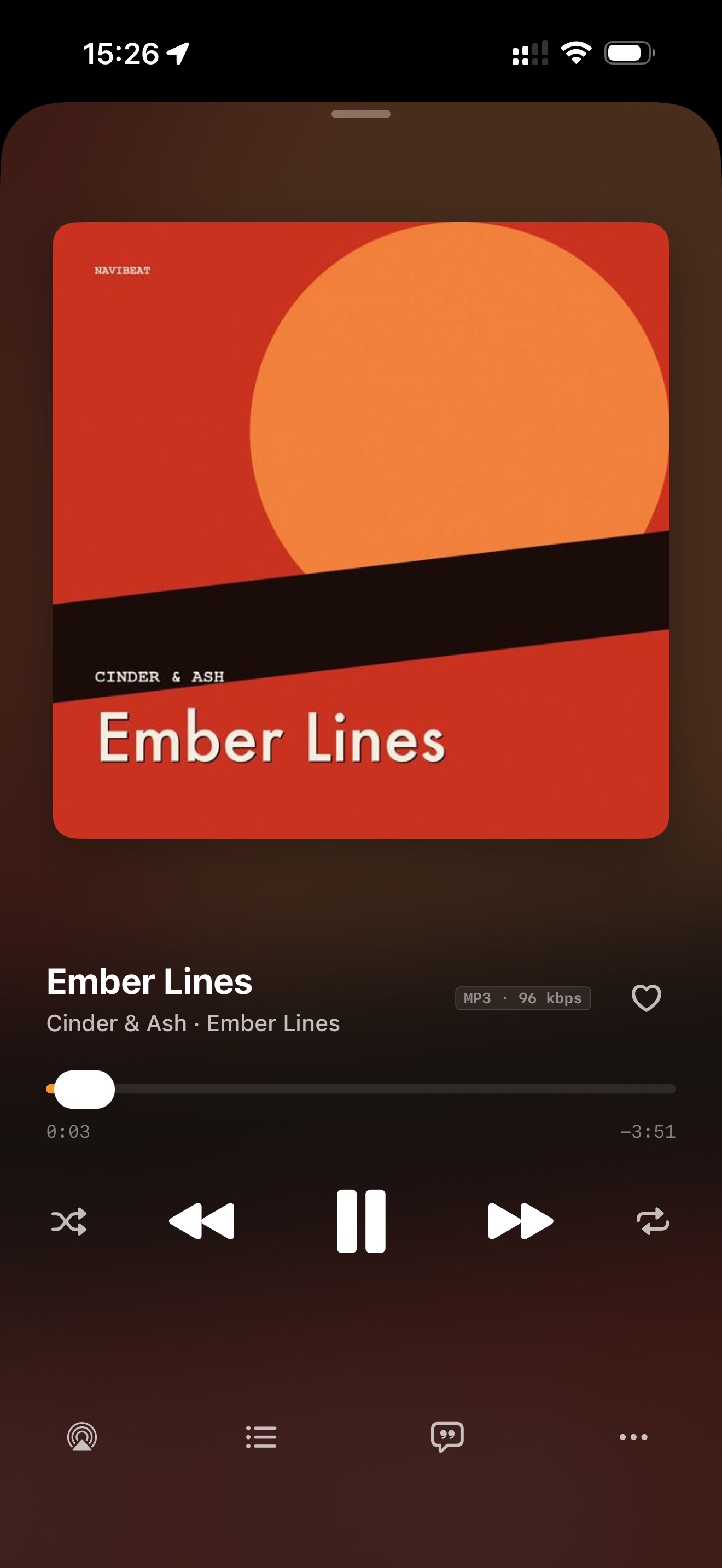
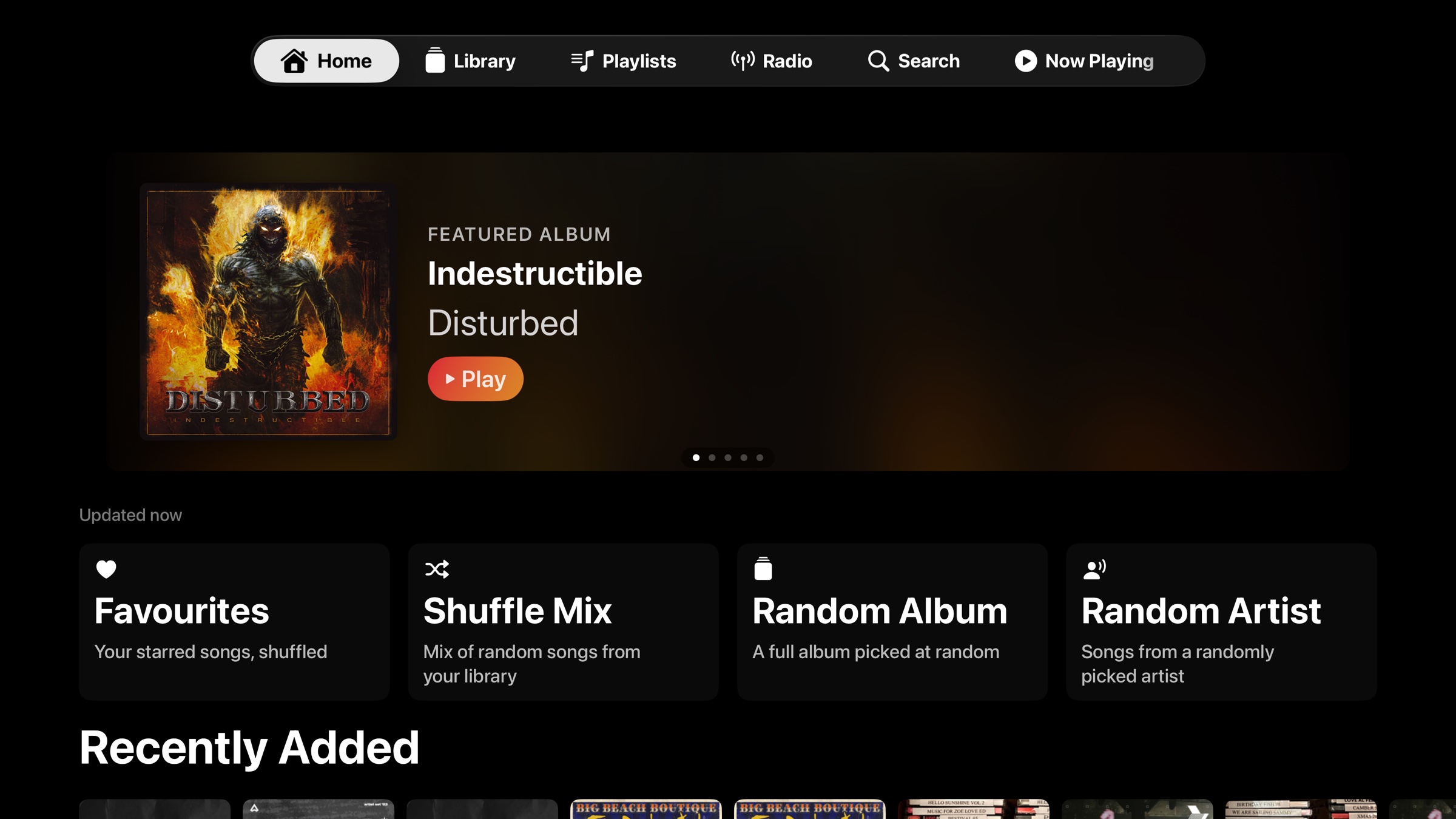
The platform breadth is the headline, but the detail that actually matters more to me is that each version is purpose-built for its screen. The Apple TV app is focus-driven, designed for a Siri Remote. The Mac app has a real Mini Player that pins on top of other windows. It's not an Electron wrapper or a Catalyst port doing its best. Each app is native to the platform it runs on.
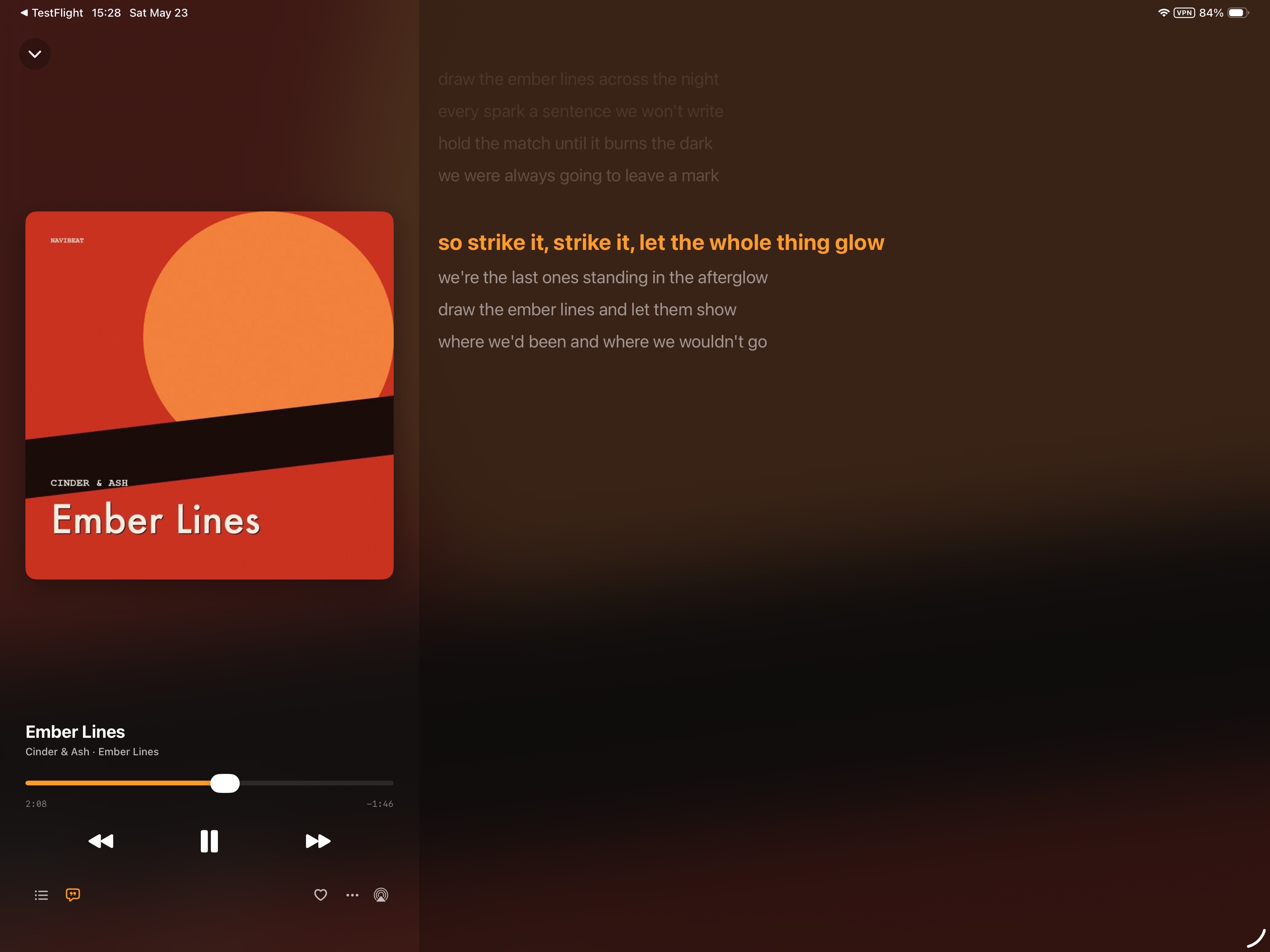
Time-synced lyrics are supported across all platforms. NaviBeat reads LRC files straight from your Navidrome library and scrolls them in sync with playback. Tapping any line seeks to that point in the track. It's a small thing that becomes surprisingly useful once you have it.
Offline pinning works for albums, playlists, and whole artists with an LRU cache size you set yourself. Last.fm integration is opt-in and requires no third-party relay. CarPlay is included. The Apple Watch app handles offline pinned playback independently, so you can leave your phone at home on a run and keep the music going from your wrist.
NaviBeat is also a v1.0 release. It's solid but it's new. Rough edges exist. The developer is responsive and the roadmap is shaped by what beta testers actually ask for, which is a reasonable operating model for a one-person app.
Quick update
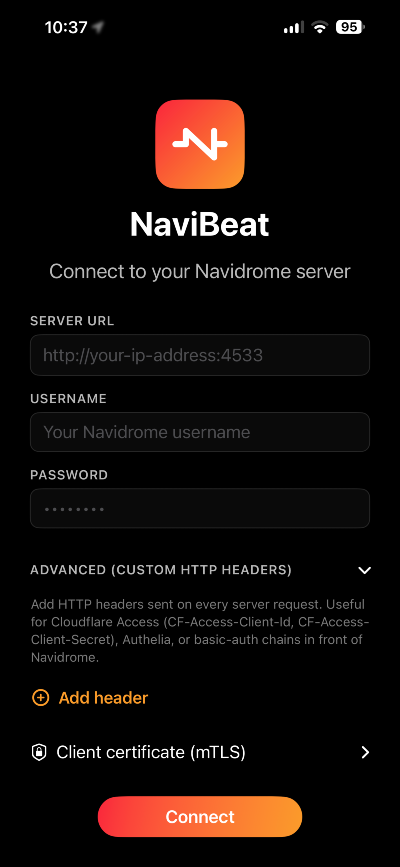
The creator of NaviBeat left a comment below indicating that much like Nautline it too has header login support for cloudflare and the like. If you need to login with Authelia and such you can do so using the add headers function.
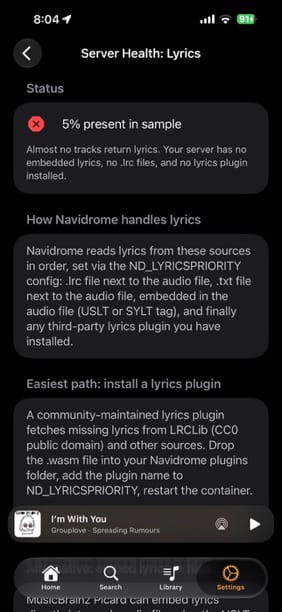
NaviBeat has this great feature that checks the server health for Artist Images, Lyrics and Album Covers and will event provide you with instructions on how to fix this for you.
 Nenad Jokic
Where They Differ
Price comparison first: Nautiline is $9.99 for iPhone. NaviBeat is $5.99 for iPhone, iPad, Mac, Apple TV, and Apple Watch. If you own more than one Apple device and want a consistent experience across all of them, NaviBeat is the more cost-effective option by a significant margin.
Nautiline has been in development longer and feels more settled. The transcoding experience in particular is polished. If iPhone is your only Apple device and you want something that's been road-tested, Nautiline is the safer choice.
NaviBeat's multi-platform approach is genuinely useful if you move between devices. The same library, the same queue, the same playback state, whether you're on your phone, your Mac, or your couch with the Apple TV remote its' very comparable to Spotify in this regard. That continuity across screens is something Nautiline can't offer.
Both apps handle the core listening loop well: connect to your server, browse by artist and album, play music, manage a queue. Neither is missing the fundamentals. Both suppose login headers for cloudflare and such.
Which One Am I Using
Both, depending on what I'm doing.
Nautiline stays on my phone for commuting and casual listening. It's been reliable long enough that I don't think about it, which is the correct end state for a music app.
NaviBeat landed on my Mac and Apple TV because nothing else was filling those slots. Having Navidrome on the TV with a native tvOS interface is something I didn't know I wanted until I had it. I've been playing with a few apps for Mac and Windows to see what would works best for me. There are some great apps out there I'll be covering here but its nice to have a single app across all of the devices. At work I listen to music on an older iPad that sits next to my desk and is connected to my officer speakers, it works well running NaviBeat.
If I were starting fresh today with zero Nautiline history, I'd probably go NaviBeat first. The $5.99 Universal Purchase covers the entire Apple ecosystem in a way that makes it hard to argue against. But Nautiline earned its place the hard way, by working correctly over time, and that counts for something.
The good news for anyone just getting into Navidrome: you have MANY real options now and these two only scratch the surface of whats ou there. The iOS client situation for self-hosted music has gotten noticeably better, and both of these apps are part of why.
As always I welcome your thoughts in the comments. What are you using to listen to your locally stored music?


Comments